The Ultimate Guide to Technical SEO Checklist for 2026

TL;DR
Fix technical SEO before investing further in content and links. Check crawlability, indexing, Core Web Vitals, mobile usability, structured data, internal links, redirects, and HTTPS. Keep important content accessible to search and AI crawlers, and repeat your audit after major site changes.

Ask AI about this
Get an AI-powered summary of this article
Table of Contents
The Ultimate Guide to Technical SEO Checklist for 2026
Most sites make the mistake of investing in content and links before fixing technical SEO. That is the wrong order.
This complete technical SEO checklist for 2026 will help you audit your website and optimize crawlability, indexing, Core Web Vitals, structured data, and AI search visibility so that every other SEO strategy and investment you make works.
Crawlability
Crawlability measures how easily search engine bots can access, visit, and read the pages on your website.
Google sends automated bots, commonly called crawlers or spiders, to visit your site, read each page, and bring that information back. If something blocks the crawler from getting in, that page will never appear in search results, no matter how good the content is.
Before Google can rank your pages, it needs to find them, and the following items below control what gets crawled and what doesn't.
robots.txt
Your robots.txt file is a set of instructions that tells Google which parts of your site to visit and which to skip.
A single line like Disallow: / blocks Google from crawling your entire site. Large companies have run into this during site migrations. The page might load well for users, yet traffic will disappear overnight.
The risk is that the file doesn't throw an error, so nobody notices until the damage is done. If your organic traffic suddenly drops overnight, check this first.
How to fix it:
- Pull up yourdomain.com/robots.txt and read every rule
- Use Google Search Console's robots.txt tester to check whether specific URLs are being blocked
- Make sure your Disallow rules only cover pages you do not want crawled, such as admin directories, duplicate filter pages, and internal search results
- Never disallow your CSS or JavaScript files. Google needs to render them to understand your pages correctly
XML sitemap
Your sitemap is a map you hand to Google that says, "These are the pages that matter; please prioritize them."
If your sitemap includes pages that return errors, redirect to other URLs, or carry noindex tags, you are handing Google a map with wrong directions.
How to fix it:
- Submit your sitemap in Google Search Console under Sitemaps
- Check that every URL in the sitemap returns a 200 status code
- Remove pages with noindex tags, 4xx errors, or 5xx errors from the sitemap
- Set your sitemap to update automatically when new content is published
- Keep the sitemap to pages you actively want indexed. Orphan pages, thin content, and paginated archives do not belong there
Crawl budget
Crawl budget is the number of pages Google will crawl on your site within a given timeframe. Google does not crawl every page every day. It allocates its budget based on your site's size and authority.
If you have thousands of low-value pages, such as filtered product pages, old paginated archives, or URL parameter variations, Google spends its budget crawling those instead of your important pages.
How to fix it:
- Block low-value URLs via robots.txt, including filtered product pages, session ID URLs, and internal search result pages
- Use canonical tags on paginated pages to consolidate crawl signals
- Set up a parameter handling rule in Google Search Console for URLs with tracking parameters
- Regularly audit and remove thin, duplicate, or outdated pages from your site
AI Search Readiness
AI search readiness refers to how well your site is structured for discovery and citation by AI-powered search engines and answer platforms such as ChatGPT, Perplexity, and Google AI Overviews.
These platforms do not just link to your pages. They read them, extract information, and generate answers. If your site is cited, your brand appears in the answer itself, before a user ever reaches a traditional search result. If it is not, you are invisible in a channel that is growing rapidly.
The good news is that the technical requirements overlap heavily with traditional SEO. A site that is fast, crawlable, well-structured, and clearly written is already well-positioned for AI search.
How to Optimize for AI Search
- Verify that OAI-SearchBot and PerplexityBot are not blocked in your robots.txt. These are the crawlers used by OpenAI and Perplexity, respectively. If they are blocked, those platforms cannot read your site
- Ensure important content is rendered as indexable HTML, not loaded via JavaScript after the initial page load. AI crawlers may not execute JavaScript the same way a browser does, meaning dynamically loaded content may be invisible to them
- Use clear, direct answers near the top of pages. AI answer engines favor content that states its point immediately and expands from there. A page that buries its key information after three paragraphs of introduction is less likely to be cited
- Maintain consistent entity information across your site and external sources. Your brand name, location, services, and expertise signals should match across your website, Google Business Profile, and third-party mentions
- Add FAQ schema to pages where you answer common questions. AI systems frequently pull directly from FAQ schema to generate answers
- Use Brenton Way's AI search visibility tool to see exactly where your brand currently appears across ChatGPT, Perplexity, and Google AI Overviews, and where your competitors appear that you do not
Indexing
Indexing is the process by which Google stores and organizes your pages in its database so they can appear in search results.
Crawling and indexing are two separate processes. Google can visit your page and still decide not to include it in search results. A page that isn't indexed doesn't exist in Google's view, no matter how much traffic it deserves.
A common example: a developer adds a noindex tag during site testing and forgets to remove it. The site launches. The page looks fine to users. But Google never shows it in search results because of that one overlooked tag.
You can help search engines index the right pages by checking the following:
Google Search Console coverage report
This is your primary indexing dashboard. It shows which pages Google has indexed, which it has excluded, and which it crawled but decided not to include.
The "Crawled but not indexed" category usually means Google visited the page but did not find it useful or distinct enough to include.
How to fix it:
- Review the coverage report weekly, not just when traffic drops
- For pages marked "crawled but not indexed," assess whether the content is thin, duplicated, or structured poorly
- Use the URL Inspection tool to check individual pages and request indexing after fixes
- Pages with fewer than 300 words, no unique value, or content that mirrors other pages on your site are the most common culprits
Noindex tags
A noindex tag is code that tells Google not to include a page in search results, even if it can crawl it. It is useful for pages you don't want indexed, such as admin pages, thank-you pages after form submissions, and staging environments, but it can be damaging when applied to the wrong page.
How to fix it:
- Run a full crawl of your site using Screaming Frog and filter for pages with noindex tags
- Cross-reference the noindex list against your most important pages
- Remove any accidental noindex tags and request re-indexing via Google Search Console
- Set up a process where noindex tags are never applied to production pages without a review step
Canonical tags
A canonical tag tells Google which version of a page you want indexed.
When canonical tags conflict with your sitemap or point to the wrong URL, Google gets confused and may index a version of the page you never intended.
How to fix it:
- Audit all canonical tags using Screaming Frog or Ahrefs
- Ensure every canonical tag points to a live, indexable page
- Make sure your canonical URLs match the URLs in your sitemap exactly, including trailing slashes
- Do not self-canonicalize a page to a different URL unless you want the other URL indexed instead
Duplicate content
Duplicate content is when the same content is accessible at multiple URLs. A common example is an ecommerce site where a product page is accessible at yourdomain.com/product, www.yourdomain.com/product, and yourdomain.com/product/ with a trailing slash. That is three versions of the same page competing against each other in Google's index.
How to fix it:
- Pick one canonical URL format and redirect all variations to it with 301 redirects
- Set your preferred domain in Google Search Console
- Update your internal links to use the canonical URL format consistently
- Check for session IDs, tracking parameters, and printer-friendly pages that may create duplicate versions of key pages
Core Web Vitals (User Experience)
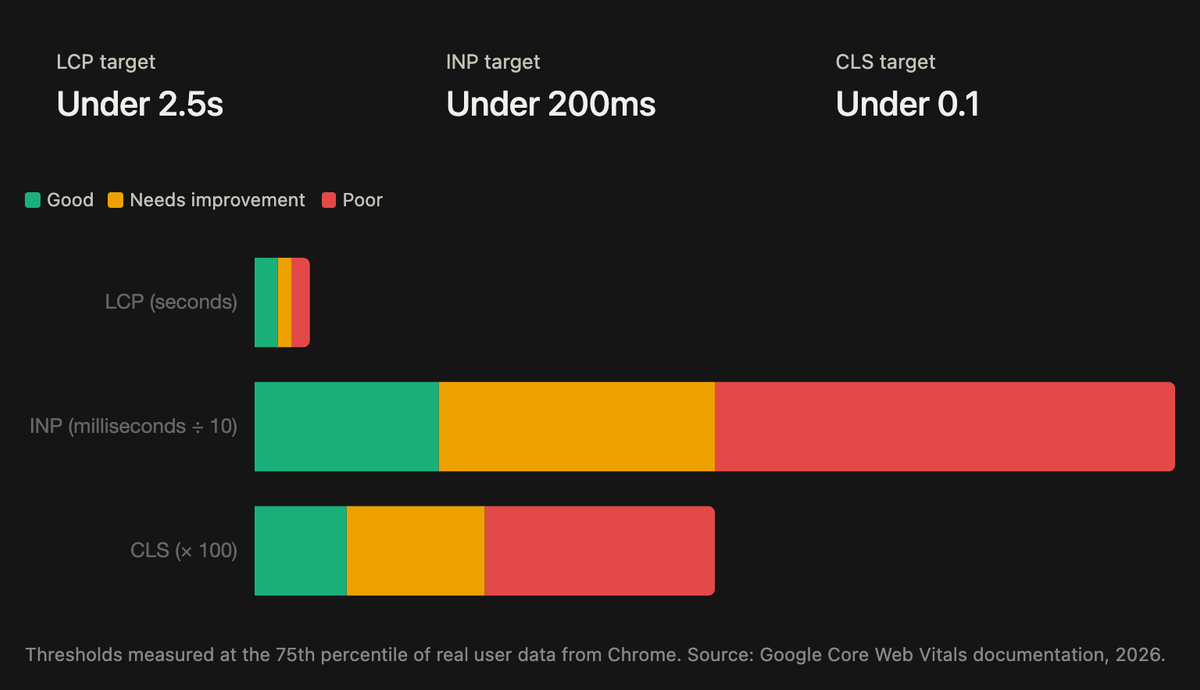
Core Web Vitals are three specific metrics Google uses to measure the real-world user experience of your pages, including loading speed, visual stability, and interactivity.
Google evaluates them through data collected from actual visitors using Chrome, measured at the 75th percentile. That means your slowest visitor's experience counts, not your best-case scenario.
These are the most important things Google checks when evaluating your Core Web Vitals.
LCP: Largest Contentful Paint, target under 2.5 seconds
LCP measures how long it takes for the biggest visible element on your page to load. On most pages, that is the hero image or the main heading.
If someone lands on your homepage and the banner image takes four seconds to appear, your LCP score is four seconds. That is a poor score.
How to fix it:
- Compress and convert images to WebP or AVIF format
- Add loading="eager" and fetchpriority="high" attributes to your LCP image
- Preload your LCP resource using a <link rel="preload"> tag
- Remove any render-blocking CSS or JavaScript that delays the main content from appearing
- Use a Content Delivery Network (CDN) to reduce server response time, particularly for international visitors
CLS: Cumulative Layout Shift, target under 0.1
CLS measures how much the page jumps around while it is loading.
You usually experience this when you tap a button and the page shifts at the last second, causing you to accidentally tap something else.
How to fix it:
- Add explicit width and height attributes to all images and video elements so the browser reserves space before they load
- Reserve space for ads and embeds using CSS aspect-ratio or fixed dimensions
- Avoid inserting content above existing content after the page loads
- Use font-display: optional or font-display: swap carefully on web fonts to reduce layout shifts caused by font swapping
- Test CLS using the Layout Instability API in Chrome DevTools to identify which elements are causing shifts
INP: Interaction to Next Paint, target under 200 milliseconds
INP measures how quickly the page responds when a user does something like clicking a button, tapping a link, or typing in a form field.
If someone clicks your navigation menu and nothing happens for half a second before the dropdown appears, that delay is INP.
It replaced First Input Delay in March 2024 and is stricter because it measures the slowest interaction across the entire visit.
How to fix it:
- Break up long JavaScript tasks into smaller chunks using scheduler.yield() or requestIdleCallback()
- Defer non-critical JavaScript so it does not block the main thread during interaction
- Audit and limit third-party scripts. Each one competes for main thread time
- Reduce Document Object Model (DOM) size. Large DOMs require expensive layout recalculations on every interaction
- Use the Chrome DevTools Performance panel to identify which event handlers are causing long tasks
Check your scores in Google PageSpeed Insights and in the Core Web Vitals report in Search Console. Search Console uses field data from real Chrome users, which is more representative than a single test run from your own device.
Structured Data and Schema Markup
- @type
- Article
- headline
- Page headline
- author
- Article author
Structured data is code added to your pages that describes your content in a format search engines can read directly, without interpreting it from the text alone.
Without structured data, Google reads your page and infers what it is about. With structured data, you tell Google directly: this is a product, here is its price, here are its reviews, here is the availability.
Structured data powers the rich results you see in Google search. Star ratings on review pages. FAQ dropdowns that expand under a search result. Recipe cards showing cooking time and calories. Event listings with dates and locations. All of these come from structured data on the underlying page.
In 2026, structured data has also become increasingly relevant for AI search visibility. When ChatGPT, Perplexity, or Google AI Overviews pull information from your site, they favor pages that are clearly structured and machine-readable.
How to Implement and Fix Structured Data
- Use Google's Rich Results Test to check whether your structured data is valid and eligible for rich results
- Implement JSON-LD format, which Google recommends over Microdata and RDFa
- Start with the schema types most relevant to your business: Organization and WebPage on every page, Article on blog posts, Product on product pages, FAQ on any page with questions and answers, LocalBusiness for physical locations
- Add BreadcrumbList schema to every page to help Google understand your site structure
- For healthcare brands and local businesses, add LocalBusiness and MedicalOrganization schema
- Validate your implementation in Schema.org's validator and Google's Rich Results Test
- Monitor your rich results performance in Google Search Console under the Enhancements tab
For a full breakdown of how to implement schema for search visibility, read our guide to schema markup for search visibility.
Mobile-First Indexing
Mobile-first indexing means Google evaluates and ranks the mobile version of your site, not the desktop version. Google made this switch because most searches now happen on mobile devices.
If your site looks and performs perfectly on desktop but is slow or broken on a phone, your rankings reflect the phone experience. The desktop experience doesn't matter for indexing.
How to Check and Fix Mobile Usability
Google retired its standalone Mobile Usability report and Mobile-Friendly Test tool in December 2023. Lighthouse in Chrome DevTools and PageSpeed Insights are now the correct tools for diagnosing mobile usability issues.
Common issues and how to fix them:
- Text too small to read without zooming: Set your base font size to at least 16px on mobile and avoid using viewport units that scale below a readable size
- Buttons or links too close together: Google recommends a minimum tap target size of 48x48 pixels with at least 8 pixels of space between targets
- Content wider than the screen: set max-width: 100% on images and use flexbox or CSS Grid rather than fixed-width containers
- Horizontal scrolling on the page body: Ensure your viewport meta tag is set to width=device-width, initial-scale=1
Also check that your mobile pages contain the same content as your desktop pages. If you built a separate mobile site years ago and stripped out content to make it load faster, Google indexes that reduced content. You could be ranking on an incomplete version of your own site without knowing it.
Site Architecture and URL Structure
Site architecture is how you organize, connect, and make your pages navigable for both users and search engine bots.
A well-structured site helps Google understand what topics your site covers and which pages matter most. A poorly structured site forces Google to guess, which means important pages may not get crawled or indexed as often as they should, and link equity from strong pages may not flow to the pages that need it.
URL structure
A URL like brentonway.com/services/seo-for-healthcare tells Google and the user exactly what the page is about before they even click it.
A URL like brentonway.com/page?id=47&cat=3 tells them nothing.
How to fix it:
- Use hyphens between words
- Keep URLs as short as you can while still being descriptive
- Remove stop words, dates, and unnecessary subfolders from URLs
- Avoid URL parameters wherever possible. If you use them, handle them in Google Search Console
- When changing URL structure, always set up 301 redirects from old URLs to new ones
Internal linking
Internal links are how you tell Google which pages on your site are important and how they relate to each other. The more internal links pointing to a page, the more significance Google assigns to it.
How to fix it:
- Audit your internal link structure using Screaming Frog to find orphan pages, pages with no internal links pointing to them
- Add contextual internal links from high-traffic pages to your most important conversion pages
- Make every important page reachable within three clicks from your homepage
- Use descriptive anchor text that reflects the target page topic rather than generic phrases like "click here"
- Link between topically related pages to build content clusters that reinforce your authority on a subject
Redirects
When you move or delete a page, a 301 redirect tells Google and browsers to go to the new URL instead. The problem is redirect chains, where the old URL redirects to a second URL, which redirects to a third, and so on, until it reaches the final destination.
Every additional hop slows down crawling and loses a small amount of link equity along the way.
How to fix it:
- Audit your redirects using Screaming Frog and identify all chains
- Collapse every chain into a single direct 301 redirect from the original URL to the final destination and ensure there are no broken links
- Fix any internal links pointing to redirected URLs so they point directly to the final destination
- Check for redirect loops, where two pages redirect to each other, which traps crawlers and users indefinitely
HTTPS and Security in 2026
HTTPS, or Hypertext Transfer Protocol Secure, is the encrypted version of HTTP. It protects the data transmitted between your website and its visitors using SSL or TLS encryption.
When a visitor lands on an HTTPS site, the connection is encrypted. No one can intercept the data passed between them and the server. On an HTTP site, that data travels in plain text and can be read or tampered with.
From a search perspective, HTTPS has been a confirmed Google ranking signal since August 2014. It functions as a lightweight tiebreaker between equal pages rather than a primary ranking driver.
The more pressing reason to be on HTTPS in 2026 is Chrome 154, which rolled out in October 2026 and enforces HTTPS by default. Every HTTP page now shows visitors an active security warning before the page loads.
If you are still running HTTP on any part of your site, that warning is appearing right now and costing you conversions before anyone reads a word of your content.
How to Fix HTTPS Issues
- Install a valid SSL certificate. Free certificates from Let's Encrypt have the same SEO value as paid ones
- Set up 301 redirects from all HTTP URLs to their HTTPS equivalents
- Update your sitemap and canonical tags to use HTTPS URLs
- Update internal links to use HTTPS across your entire site
- Check for mixed content warnings using Chrome DevTools or Screaming Frog and fix any HTTP resources loading on HTTPS pages
- Verify that your HTTPS site is the version submitted in Google Search Console
How Brenton Way Approaches Technical SEO
Technical SEO problems are rarely obvious until they are already costing you rankings. A misconfigured canonical, a robots.txt that blocks a key section of your site, or a slow LCP on your most important landing page can suppress organic traffic for months before anyone connects the symptom to the cause. Thankfully, we can fix these.
We are a growth marketing company that starts every SEO engagement with a full technical audit before making any content or link-building recommendations. We focus on fixing the foundation first because content and links built on a broken site underperform.
Our audits cover on-page SEO, crawlability, indexing, Core Web Vitals, mobile usability, structured data, and AI search rankings.
So far:
- For Family First, a health platform competing in a crowded organic search market, we built a technical and content SEO program that delivered a 740% increase in SEO rankings and $250K in monthly pipeline from organic search.
- For Wipe Away Debts, a bankruptcy law firm with no organic presence, a combined technical audit and content program drove a 750% increase in SEO traffic in under six months, ranking for 7,000+ keywords and generating 100+ new monthly consultations.
- For LA Reproductive Center, technical SEO, alongside paid and content work, produced 950+ new organic keyword rankings and a 35% increase in conversion rate.
If your organic traffic has stalled and you are not sure why, book a consultation, and we will fix the problem
Frequently Asked Questions
What is a technical SEO checklist?
A technical SEO checklist is a structured set of checks covering the infrastructure-level factors that affect how search engines crawl, render, and index a website. It includes crawlability, indexing, Core Web Vitals, mobile usability, HTTPS, site architecture, and structured data.
What are Core Web Vitals?
Core Web Vitals are three user experience metrics that Google uses as ranking signals. LCP measures loading performance, with a target of under 2.5 seconds. CLS measures visual stability, with a target under 0.1. INP measures interactivity, with a target under 200 milliseconds. INP replaced First Input Delay as a Core Web Vital in March 2024.
How often should I run a technical SEO audit?
Run a monthly audit covering Core Web Vitals, crawl errors, and index coverage. Run a full audit quarterly. Always run one after a major site change such as a migration, redesign, or CMS update.
What is mobile-first indexing?
Mobile-first indexing means Google uses the mobile version of your site to evaluate and rank your pages. If your mobile site has less content or a worse experience than your desktop site, your rankings will reflect that.
What tools do I need for a technical SEO audit?
Essential tools include Google Search Console for indexing and coverage data, Google PageSpeed Insights for Core Web Vitals and mobile performance, Screaming Frog for crawl analysis, and Lighthouse in Chrome DevTools for diagnosing mobile usability and performance issues at the page level. Note that Google's Mobile-Friendly Test tool and the Mobile Usability report in Search Console were both retired in December 2023. Lighthouse is now the recommended replacement for both.
Let's Grow Your Brand With Us
Book a free consultation and get a custom growth strategy tailored to your business.
Book Free ConsultationGet marketing insights in your inbox
Join our newsletter for the latest digital marketing tips and strategies.
By subscribing, you agree to our Privacy policy .

About the author
Jonathan SaeidianHead of Strategy at Brenton Way
Jonathan Saeidian is the founder of Brenton Way, Bridge, and Growth Virality, where he builds measurable growth marketing systems for startups, scaleups, and enterprise teams.


