How to Set Up and Run Compliant Meta Ads for Telehealth Brands
TL;DR
Learn how telehealth brands can set up Meta Conversions API with PHI filtering, consent enforcement, event remapping, and privacy-aware campaign practices.

Ask AI about this
Get an AI-powered summary of this article
Table of Contents
Did you know that the Federal Trade Commission (FTC), California, and Utah filed a lawsuit against Hims and Hers Health for sharing patient health data with Meta and Google for ad targeting?
They alleged that the telehealth company improperly shared sensitive consumer health information with Meta, Snap, Google, and other third-party platforms through tracking pixels and Software Development Kits (SDKs).
Other telehealth platforms, including GoodRx, BetterHelp, and Cerebral, settled similar enforcement actions in previous years. In each case, a standard browser pixel transmitted health-revealing data to a platform that had signed no Business Associate Agreement. The platform did not need to use the data maliciously for the violation to occur; sending it was enough.
If your brand runs Meta ads with a standard pixel and no PHI filter, you risk having the same setup as these companies. A properly built CAPI system for healthcare marketing and advertising not only helps you avoid these violations, but it also improves your campaign performance, giving you faster optimization, lower cost per acquisition, and a scalable setup.
This guide covers everything you need to know to set up and run compliant Meta CAPI ads for your digital health and wellness brand.
Why Standard Pixel Tracking Is Not Safe for Telehealth

A standard Meta pixel fires from the user's browser and sends data directly to Meta. That includes the page URL, browser information, and any custom parameters configured on-page.
The problem is what those URLs contain.
A URL like /booking/confirm?condition=anxiety&plan=monthly tells Meta exactly what health issue brought that person to your platform. A page titled "Your ADHD Treatment Plan Is Ready" does the same. The pixel does not need any intentional Protected Health Information (PHI) configuration to create liability. Health-revealing terms in your URL structure are transmitted automatically on every page where the pixel fires.
This is important because Meta does not sign a Business Associate Agreement (BAA) for any of its advertising products. Without a BAA, Meta is not a HIPAA business associate, which means any patient health information that reaches Meta through a pixel is a HIPAA violation regardless of what Meta does with it afterward.
And it does not stop there. The FTC’s Health Breach Notification Rule applies independently for health apps and consumer wellness services. So even if HIPAA does not technically apply to your specific telehealth model, you can still face federal enforcement exposure.
This is the compliance problem every telehealth healthcare marketing team must solve before evaluating campaign performance.
Meta CAPI for Telehealth: The Requirements for a Compliant Setup
A compliant Meta CAPI setup for telehealth requires three things:
- A PHI-scrubbing layer that filters health-revealing data before it reaches Meta
- Generic event naming that describes commercial behavior rather than health status
- Server-side consent enforcement for patients in states with consumer health data privacy laws.
To understand why each of those things matter, you must first understand how CAPI works.
Meta’s Conversions API does not replace the browser pixel. It runs alongside it. When both are active, the browser pixel still fires client-side as usual, and your server independently sends a matching event to Meta via CAPI at the same time. Meta receives both signals and deduplicates them using a shared event_id, so it doesn't count the same conversion twice.
The catch is that CAPI does not automatically filter out PHI. Meta’s terms prohibit sending unprotected health information through CAPI just as they do through the standard pixel.
What CAPI gives you is server-side control: because data passes through your own environment before it reaches Meta, you have the ability to implement a scrubbing layer that strips health-revealing information before any event is transmitted. You are responsible for building and maintaining that scrubbing layer, either through a dedicated compliance tool or a custom server-side configuration.
Keep reading to find out exactly how we do that.
How We Set Up Meta CAPI for Telehealth Brands
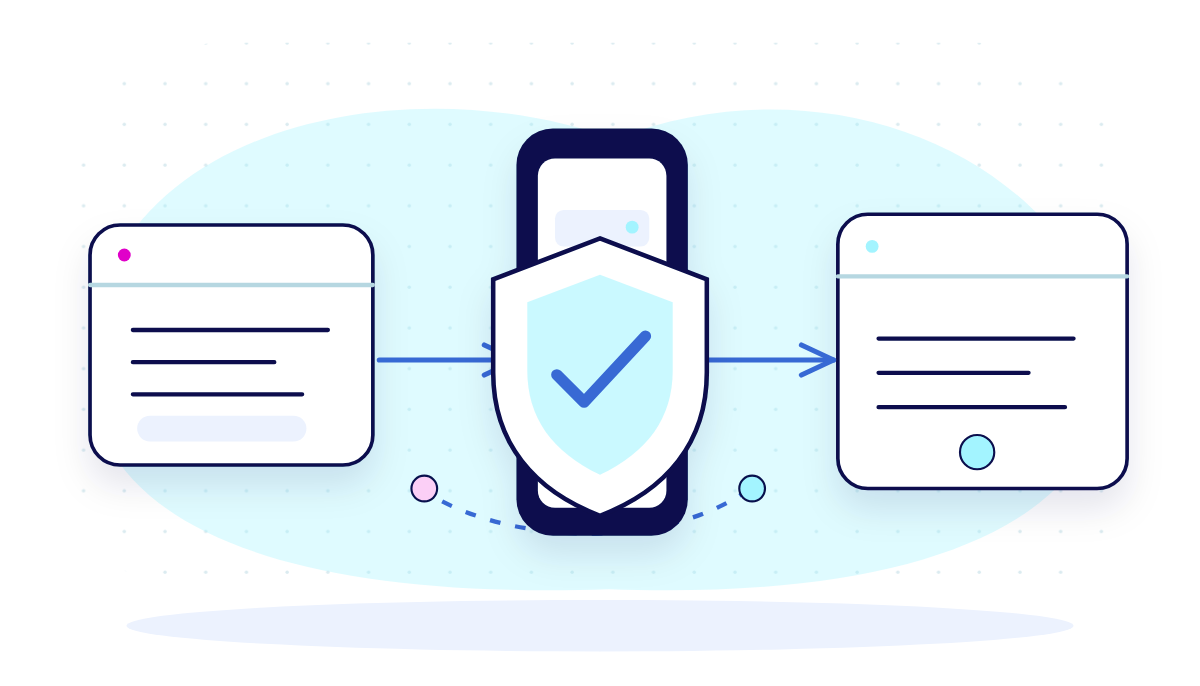
Most telehealth brands come to us with the same problem. They are running Meta ads, their pixel is firing on every page, and they have no idea what health-revealing data is making its way to Meta’s servers.
Before we touch campaign structure or creative, we always focus on fixing the tracking system first. Here is how we do it.
Step 1: Audit what your current pixel is sending
We start by pulling the browser pixel’s network requests and reviewing every event that fires across your site. We look at URL structures, custom parameters, and page titles for anything that reveals health intent.
A path like /intake/depression or a page title like “Your Weight Loss Plan Is Ready” transmits health signals automatically, without any custom configuration.
We then use Meta’s Event Testing Tool in Events Manager alongside browser developer tools to capture exactly what is being sent and to whom. This audit becomes the baseline we use to build the compliant setup.
It also tends to reveal something else. The same site architecture that creates compliance risks can also slow your conversion rate because pages with condition-specific URLs usually have other issues that make it harder for visitors to move from the landing page to booking an appointment.
That is why we look beyond ad performance when helping telehealth brands grow. At Brenton Way, we built ScalerMD to bring major parts of telehealth operations together, including websites, patient acquisition, clinical workflows, payments, and fulfillment.
When these elements work together, it becomes easier to manage your patient journey from the first click to a booked appointment. Combined with compliant tracking and conversion rate optimization, this helps telehealth brands grow their patient bookings and we have proof of this.
We applied the same strategy for LA Reproductive Center. The site was already generating traffic, but little of it converted into customers. By combining SEO, conversion optimization, and compliant paid media, we increased their conversion rate by 35% and reduced patient acquisition cost by 8%.
Step 2: Choose the right server-side setup for your team
We use one of two approaches depending on the client’s technical capacity.
For brands without a large engineering team, we implement Curve Compliance. It is built specifically for healthcare advertisers, handles PHI filtering automatically, and signs a BAA with you as a covered entity. It integrates with your existing tag setup and removes health-revealing data before any event reaches Meta. This is the faster path to compliance and the lower-risk option when speed matters.
For brands with an engineering team who need more control over their event schema or run conversion tracking across multiple platforms, we deploy server-side Google Tag Manager on a HIPAA-compliant cloud host, either Google Cloud Platform or AWS, both under a signed BAA.
This setup gives us full control over the filtering logic, the event structure, and what gets sent to each downstream platform.
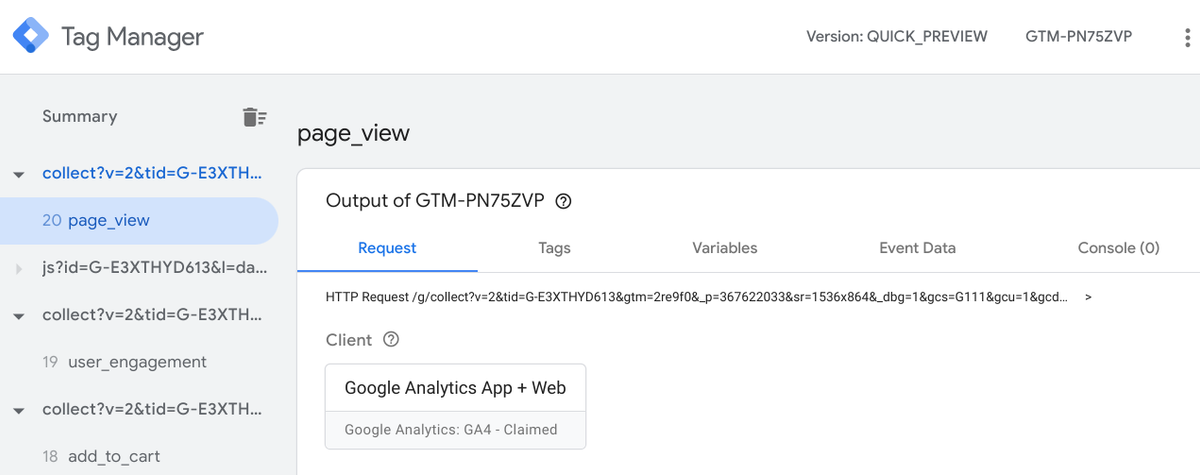
Both approaches achieve the same outcome: your data passes through your own environment before it reaches Meta, which gives you the control to strip anything you should not be sending.
Step 3: Build and test the PHI-scrubbing layer
The scrubbing layer blocks any URL path, event parameter, or page metadata that contains health-revealing terms. That includes:
- Condition names
- Treatment types
- Medication names
- Any language that implies a diagnosis or clinical interaction.
We test this by deliberately triggering events on health-specific pages and confirming in Events Manager that what arrives at Meta contains no identifiable health signals.
We also check what custom data fields, if any, are being passed with each event and strip anything that does not serve the optimization signal we need.
Step 4: Rename and remap your conversion events
We replace every health-specific event name with a commercial equivalent.
If your current setup fires a “depression_intake_submitted” event, that becomes “consultation_requested.” If it fires “testosterone_checkout,” that becomes “checkout_initiated.”
But keep in mind that this is not just about compliance. Generic, commercially descriptive event names give Meta a cleaner signal to optimize toward. Health-specific event names usually trigger additional ad review and can lead to delivery restrictions even when the underlying campaign is compliant.
We map every event through Meta’s standard event schema, then set up any custom events needed for your specific booking or intake flow.
Step 5: Set up deduplication between CAPI and the browser pixel
Because CAPI runs alongside your browser pixel, Meta will receive two signals for every conversion: one from the browser and one from your server. Without deduplication, those count as two separate conversions and your reported results become inflated.
We assign a shared event_id to both the browser pixel event and its matching CAPI event. Meta uses this to recognize that both signals describe the same action and counts them as one.
We then verify deduplication is working by checking the duplicate event percentage in Events Manager. A properly deduplicated setup shows a high match rate and near-zero duplicate percentage.
Step 6: Build server-side consent enforcement
For patients in states with consumer health data privacy laws, we build consent status into the server logic rather than relying on the browser.
When a patient declines on the consent banner, that preference gets written to your system. Then, when a qualifying action occurs, your server checks the patient’s consent status before deciding whether to send a CAPI event.
If they declined, no event fires. Their preference does not stay in a browser cookie that can be cleared or bypassed. It stays in your system.
We test this by submitting a form with consent declined and confirming that no event appears in Events Manager. We also check that no event fires for a patient who previously declined and later returns to the site.
Step 7: Validate the full setup before going live
Before we turn campaigns back on, we run a full validation pass. We confirm that CAPI event volume is tracking alongside pixel event volume, that deduplication is working, that no PHI is appearing in any event, and that consent enforcement is blocking events correctly for declined users.
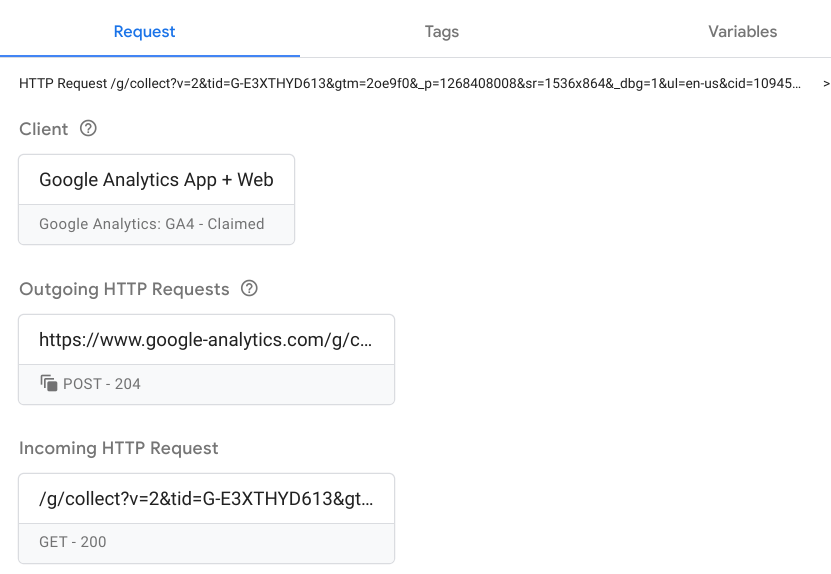
We also document the setup for your records, because if you ever face a regulatory inquiry, having a documented compliance infrastructure will help you out.
This process usually takes two to four weeks depending on technical complexity and how much remediation the existing pixel setup requires.
Brands we do this for, usually end uo with cleaner data, better algorithm performance, and better conversion.
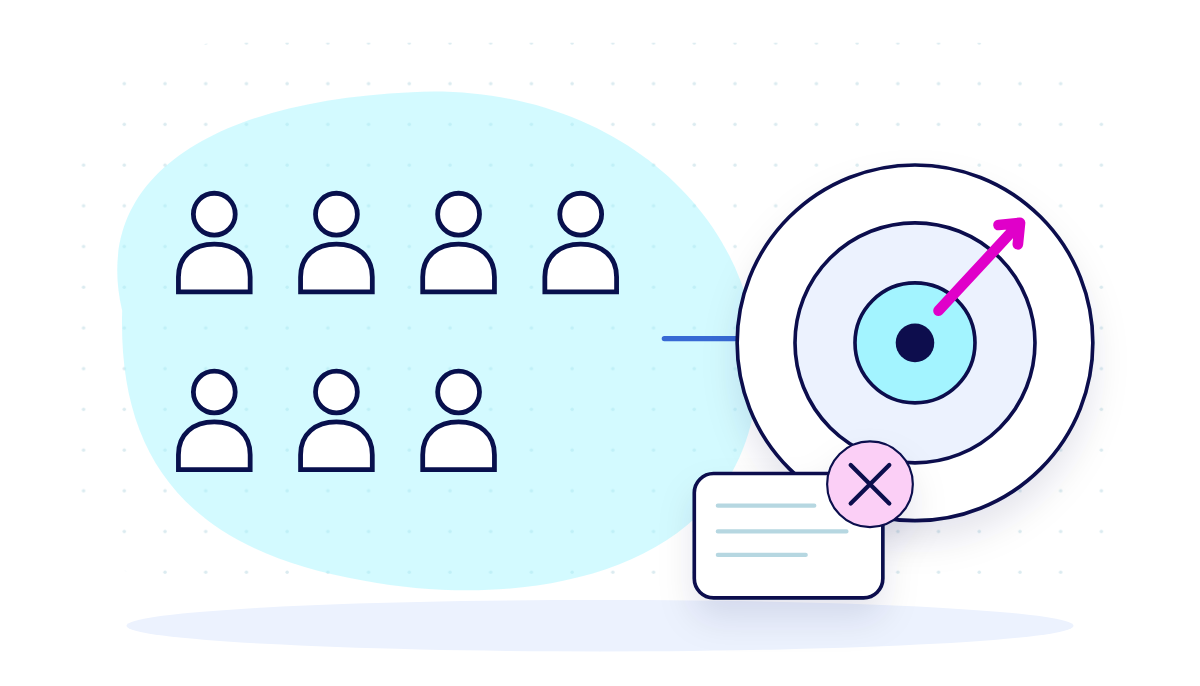
What Works In Compliant Meta Targeting for Telehealth Brands vs. What Does Not Work
| What Works | What Does Not Work |
|---|---|
| Advantage+ audience targeting | Custom audiences built from condition-specific page visitors |
| Lookalike audiences from general customer or newsletter subscriber lists | Lookalike audiences built from patient segments (intake completers, treatment-specific lists) |
| Broad prospecting campaigns optimized toward booking or lead events | Retargeting users who completed a health intake form |
What works
- Advantage+ audience targeting: This is the strongest compliant option for most telehealth brands with enough conversion volume. Meta’s behavioral modeling finds people likely to convert on your objective without you supplying patient data as targeting inputs. Because you are not defining the audience from your own patient records, you are not the one transmitting health-revealing information to Meta.
- Lookalike audiences from general lists: This only works when the source list contains no health information. A list of all customers or all newsletter subscribers is generally safe to hash and upload. The important thing is that the list cannot imply anything about health status. If everyone on it shares a health condition, a treatment, or a clinical interaction, it is no longer a general list.
- Broad prospecting campaigns: Instead of telling Meta who to target, you let Meta figure it out. You optimize toward a conversion event like a completed booking or a qualified lead, and Meta finds the people most likely to take that action. Your job is to give it the right signal to optimize toward and good creative that converts.
What doesn’t work
- Custom audiences from condition-specific page visitors: These are not compliant. If someone visited your testosterone therapy page or your mental health intake page, that visit is a health signal. Feeding that audience into Meta means passing health-identifying information without a BAA.
- Lookalike audiences from patient segments: A list of patients who completed a mental health intake or who were prescribed a specific treatment implies health status by definition. Uploading that list, even hashed, transmits health-identifying signals to Meta.
- Retargeting users who completed a health intake form: This is not a viable strategy without a BAA. Completing an intake form identifies someone as a patient and implies the condition they sought care for. Under current compliance standards, you can't pass that segment to Meta in any form.
When retargeting health-identified audiences is not an option, your landing page and booking flow become the primary conversion tools. Compliant prospecting, through Advantage+ or broad lookalike audiences, brings in people who match the behavioral profile of your likely patients.
But matching a behavioral profile does not mean they will book. If your intake form is too long, your page loads too slowly, or the path from ad click to confirmed appointment is unclear, you will lose them.
How to Structure a Compliant Telehealth Campaign on Meta
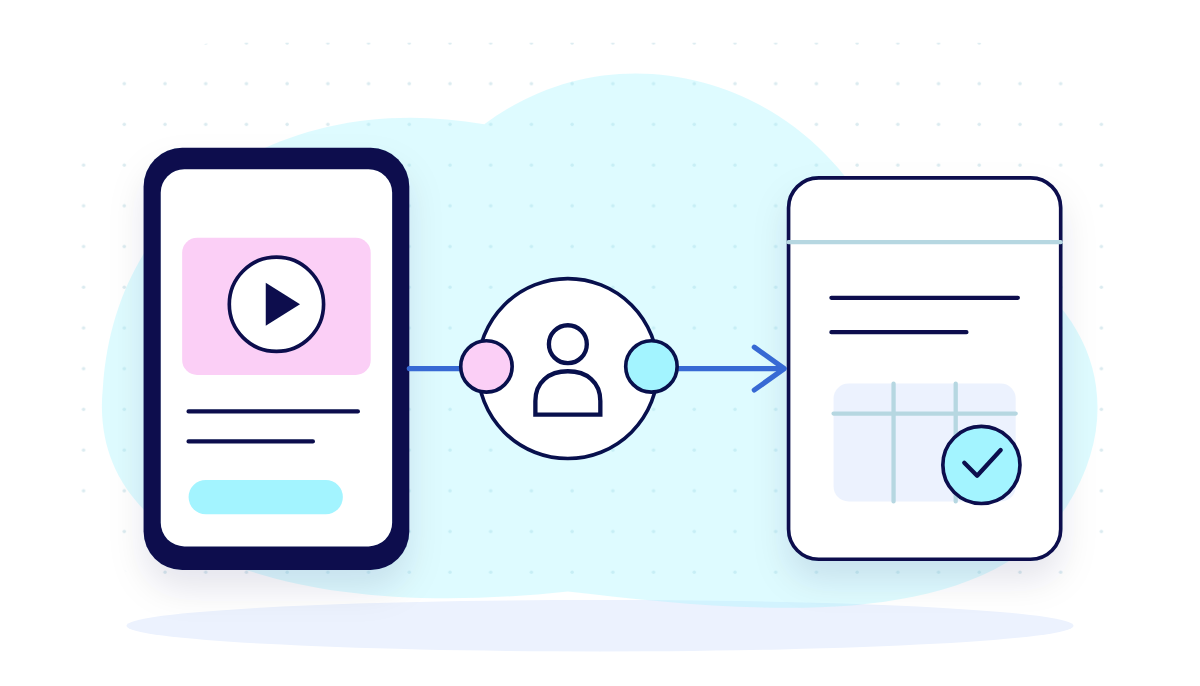
Once your CAPI infrastructure is in place, how you structure your campaigns determines whether those signals turn into booked patients.
Choose the right campaign objective
Use the Conversions objective and optimize toward a real patient action. That means a completed booking, a consultation request, or a submitted lead form, not a page view or a link click.
If you optimize toward link clicks, Meta will find people who click your ads. That is not the same as people who book appointments, so you could end up paying $2 per click and $400 per actual patient because the signal you gave Meta was too shallow to find the right audience.
The more specific and meaningful your conversion event is, the better Meta gets at finding people who will become patients.
Set up your audiences correctly
If you are running manual campaigns, keep broad targeting turned on. Let Meta’s behavioral modeling find your patients rather than trying to define them yourself.
Selecting interests like “mental wellness” or “weight loss” might seem like a smart way to narrow your audience, but for healthcare advertising, those selections can create compliance problems. You are telling Meta that your ads are for people with specific health interests, which is exactly the kind of signal the regulations are designed to prevent.
This is the same approach we use at Brenton Way when setting up a full-funnel paid media strategy for telehealth clients. We start with Advantage+ and a clear conversion signal, then let ad performance data tell you who is converting before making any audience decisions. That keeps the setup compliant and gives Meta the room it needs to find patients you would not have thought to target manually.
Over time, the algorithm builds its own model of your ideal patient based on who actually books.
Get your budget and bidding right
We usually start with cost cap bidding once we have at least 50 compliant conversion events per week. Anything below that number, Meta won't have enough data to spend your budget efficiently, and you will see unpredictable delivery and higher costs as a result.
If you are not getting that volume yet, start with a simpler event like a landing page visit or a form start. These are easier for Meta to optimize toward than a completed booking. Once you have enough data, you can move down to the booking event. This is similar to warming up the algorithm before asking it to find your most valuable patients.
Keep your ad sets to two or three in the early phase. Each additional ad set splits your conversion data across more buckets. Each bucket needs enough data to exit the learning phase before Meta can spend your budget efficiently. The more ad sets you have, the longer that takes.
How to Build Compliant Ads That Attract the Right Patients When Targeting Is Restricted

When your targeting options are restricted, the ad has to do the job audience settings normally do, and it all comes down to the creative.
Here is how to build creatives that convert without relying on health data.
Speak with the patient in mind
Instead of writing about a condition, write about an experience.
For instance, saying “struggling with ADHD?” targets a diagnosis. “Finally feel in control of your day” speaks to what the patient wants.
One puts health information in the ad. The other resonates with the right person without saying anything that creates a compliance risk.
This distinction also changes who responds to your ad. When you talk about a condition, you attract people who identify with that label. When you talk about an outcome or an experience, you attract people who want that result, which is a much larger and more behaviorally diverse group for Meta to learn from.
Test different messages
Swapping a blue background for a green one is not a creative test. A real test means running two ads with different angles:
- One creative might contain symptom relief.
- Another might focus on convenience, like same-day appointments or a zero waitlist.
- A third might contain social proof from a patient who got results.
Each angle attracts a different type of person, and the one that converts best tells Meta who to target.
How quickly you find that best angle matters as much as the test itself, which is why we developed a rapid creative testing process called Flight.
Flight is our creative testing system built to shorten the time it takes to test multiple creatives across paid channels. Using this tool, we source creators matched to your patient audience, develop variations built around specific hypotheses, and structure tests across your paid channels.
When a concept proves it can produce bookings, our creative and media teams expand it into new variations and scale it across campaigns.
Avoid before-and-after formats and medical claims
Meta has its own ad policies restricting before-and-after imagery in health ads, separate from HIPAA. An ad showing a patient looking distressed before treatment and healthy after it can get your ad account flagged or shut down, regardless of how compliant your backend is.
Medical claim language also has the same risk. Phrases like “clinically proven,” “guaranteed results,” or “FDA-approved treatment” sound credible, but they invite scrutiny from both Meta’s review system and federal regulators.
The safest approach is to describe the experience rather than promising an outcome. Instead of “clinically proven to reduce anxiety symptoms,” try “patients report feeling more in control within weeks.”
Instead of “guaranteed results,” try “personalized care built around your specific needs.” This way, you are communicating the same value without making a claim you would have to defend in a regulatory review.
Use testimonials carefully
Patient testimonials are among the most effective creative formats in healthcare because they build trust in a way simple brand messaging cannot. But they also carry certain risks for telehealth brands, especially since every testimonial used in a Meta ad needs proper disclosures.
The testimonials you use cannot reveal the condition the patient sought care for, nor can they imply a guaranteed result.
For instance, saying “this platform changed my life” is usable with the right disclosure. However, saying, “I finally got my anxiety under control” is not, because it identifies the health condition and could be read as a promised outcome.
Wrapping Up
An effectively built CAPI infrastructure gives you cleaner data, faster algorithm learning, and a lower cost per acquisition over time, while keeping patient health information out of Meta’s hands.
If you want to see how paid media can be used as a healthcare growth strategy, our healthcare marketing playbook covers all you need to know about acquisition, retention, SEO, and content across the full patient journey.
And, if you are a telehealth brand running paid media without a compliant CAPI setup, or if you are running CAPI but not seeing the performance results you expected, book a consultation with our team.
We will audit your current setup, identify loopholes, and give you a clear path to a compliant, performance-ready infrastructure that doesn't cost you patients or put your brand at risk.
Frequently Asked Questions
Start with compliance before you start with channels. Telehealth brands cannot run standard browser pixels without risking HIPAA violations, because health-revealing page data gets transmitted to ad platforms that have not signed a Business Associate Agreement. The right setup is server-side conversion tracking with a PHI-scrubbing layer, then optimize toward a real patient action like a completed booking.
Facebook does not sell clicks in fixed blocks. It runs on auction-based pricing where you pay per impression or per click depending on your campaign setup. For telehealth brands, cost per click is usually between $3 and $8, higher than the platform average because healthcare audiences are competitive and Meta applies additional review to sensitive category ads.
Regulatory enforcement is the latest trend. The FTC’s lawsuit against Hims and Hers, in addition to earlier settlements against GoodRx, BetterHelp, and Cerebral, has made data privacy the biggest operational problem for telehealth marketing teams. Brands are moving away from browser pixels toward server-side tracking with PHI filtering.
No, Meta is not HIPAA compliant. Meta does not sign Business Associate Agreements for its advertising products, which means it cannot legally receive protected health information. Any patient health data that reaches Meta through a standard pixel or an unfiltered CAPI setup is a HIPAA violation, regardless of what Meta does with it afterward.
Tags
Let's Grow Your Brand With Us
Book a free consultation and get a custom growth strategy tailored to your business.
Book Free ConsultationGet marketing insights in your inbox
Join our newsletter for the latest digital marketing tips and strategies.
By subscribing, you agree to our Privacy policy .
About the author
Brenton Way
Digital Marketing Agency at Brenton Way


