PPC Audit Checklist: How to Evaluate a Google Ads Account

TL;DR
Start a Google Ads audit by checking that real conversions are counted once and used for bidding. Then review search terms, bids, campaign structure, landing pages, ads, and audiences to find where budget goes without producing results.

Ask AI about this
Get an AI-powered summary of this article
Table of Contents
PPC Audit Checklist: How to Evaluate a Google Ads Account
If your Google Ads account is underperforming, you might think it is because of bad creative or the wrong keywords, but that is not always the case.
Sometimes it underperforms because of broken conversion tracking, competing ad campaigns, or budget flowing to searches that will never convert.
A PPC audit can help you find these problems. This checklist covers the key areas of a Google Ads account and how to audit them in the right order.
1. Conversion Tracking

Conversion tracking is the most common source of account problems. When tracking is broken, Smart Bidding optimizes toward the wrong thing, and every other metric in the account becomes unreliable.

An audit of 2,000 Google Ads accounts by Disruptive Advertising found that 57.7% had some form of conversion tracking. Of those, 50.1% tracked an outcome the auditors considered meaningful.
Here's what to check:
- In Google Ads, go to Goals, then Conversions. List every active conversion action in the account
- Check whether each action is primary or secondary. Primary actions are used for bidding when the campaign uses their goal. Secondary actions are normally for observation, though a custom goal can use them for bidding.
- Primary conversions should reflect real business outcomes: purchases, booked calls, qualified form submissions, or trial starts. Page views and button clicks do not belong here
- Check for duplicate tags. If the same event is firing from both the Google Ads tag and a GA4 import, and both are set to primary, you are counting every conversion twice
- Check your attribution model. Google uses data-driven attribution by default for most conversion actions. Compare how data-driven and last-click attribution credit the steps that lead to a conversion.
- Compare Google Ads conversions against your CRM or order system for the same period. If totals differ, check for conversion lag, attribution differences, duplicates and missing tags before you change bids.
Tracking problems also explain why accounts that look like they are improving in the dashboard often decline in actual revenue.
Good attribution helps you connect ad activity to business outcomes. For SY Aesthetics, Brenton Way built an integrated paid media and acquisition system that connected campaign data to patient-stage reporting. That let the team see which paid leads progressed to consultations and recorded surgical cases.
Our IcarusX technology also connects to your live Google Ads, Meta, GA4, Search Console, and Shopify data through Atlas, building a running record of campaign performance that every strategist and media buyer on your account can access instantly. Oracle, our client-facing AI tool, lets you ask questions about your campaign performance at any time and get direct answers based on your live data, instead of waiting for a weekly update.
2. Search Terms and Negative Keywords
Every time your ad appears in Google, it is triggered by a search someone typed. A search term is the exact phrase that person used. A negative keyword is a word or phrase you add to your campaign to stop your ads from showing for searches that are not relevant to your business.
If someone searches "free chiropractor near me" and you are a paid chiropractor, a click from them will cost you money and produce nothing. A negative keyword for "free" prevents that.
Here's what to check:
- Pull 90 days of search term data and sort by cost, not clicks. The expensive irrelevant queries you find are where your budget is going
- Check negative keyword lists at account, campaign, and ad group level. Each level does a different job. Gaps at any level let irrelevant queries go through
- Check for negatives that are accidentally blocking terms you want. Old negatives can cut your best traffic without anyone noticing
- Confirm a shared account-level negative keyword list exists for exclusions that should apply across all campaigns
Our paid search team does not wait for a monthly report to find wasted spend. IcarusX supports recurring search-term analysis, helping our specialists identify irrelevant traffic, refine negative keywords under approved account rules, and protect valuable buyer intent as campaigns run.
3. Bidding Strategies

The right bidding strategy depends on how many conversions the campaign is generating.
Low conversion volume can make results harder to interpret. Check what the campaign measures and whether it has enough reliable data to assess a bid change.
Here's what to check:
- Match bidding to the goal. Maximize Conversions aims to generate more conversions within budget. Target CPA focuses on cost per action, and Target ROAS uses reported conversion values to optimize toward a return target. See our Google Ads and PPC stats guide for more context on the bidding strategies advertisers use.
- Check eligibility before switching. Google supports starting Target CPA once conversion tracking is set up, even without conversion history. Target ROAS requirements vary by campaign type and depend on reported conversion values.
- Look for campaigns stuck in the Learning phase. That usually means there's been a recent major change or there haven't been enough conversions.
- Make sure each campaign is optimizing toward the right conversion action. A campaign chasing page views will spend your budget inefficiently and get you nowhere
In our MoxieLash case study, Brenton Way reported a 24% lower cost per acquisition and 80% higher average order value after rebuilding the paid media program around creative and offer testing.
4. Account Structure
If your account is poorly structured, you are probably paying more than you should.
A disorganized account causes PPC campaigns to compete against each other, splits budget across too many variations, and makes reports hard to interpret.
Here's what to check:
- Whether brand and non-brand campaigns are separated. If they are mixed, your ROAS will look better than it is, and you cannot tell what it actually costs to acquire a new customer
- Whether competitor keywords are in their own campaign, separate from your core keywords
- Whether each campaign has one clear goal. A campaign split between form fills and phone calls is not optimizing for either
- Whether each ad group covers one keyword theme with 5 to 15 keywords. Ad groups with 50 or more mixed terms waste budget and hurt your Quality Scores
- Whether each Search ad group has at least one responsive search ad that matches its keyword theme and business goal
- Whether campaigns paused for 90 days or more are archived with notes, not sitting dormant in the PPC account
5. Landing Pages

You can have the right ad reaching the right person and still lose the conversion if the landing page is wrong.
If your click volume is healthy but your conversion rate is poor, then the landing page is most likely the problem. This is where Brenton Way's conversion optimization process comes in.
Most agencies audit the ad and stop there. But as growth marketers, we look at the full journey from the click to the conversion. If the landing page is slow, mismatched to the ad, or asking too much of the visitor before they are ready, no amount of bid optimization will fix the drop-off.
We run landing page audits alongside every paid media engagement because the two problems are almost always connected.
Here's what to check for your page audit:
- Every ad group should send traffic to a page that matches the specific ad. If your ad promotes a back pain treatment and the link goes to your homepage, most people will leave without converting
- The landing page headline should match the ad copy. If someone clicked on a specific offer and arrives at a page that does not mention it, they will not stick around to find out more
- Check how fast your top-spend landing pages load on mobile. A page that takes five seconds to load is losing conversions no matter how good the ad is
6. Ad Creative and Assets
Ad creative is everything a potential customer sees when your ad appears: the headlines, descriptions, images, and videos.
Assets are the additional pieces attached to your ads, such as callout ad extensions, sitelinks, and structured snippets, that give Google more to work with when building and showing your ads.
Together, they determine whether someone clicks or keeps scrolling.
Here's what to check:
- Go to the Ads view and filter by Status = Disapproved. A disapproved ad is one that Google has reviewed and rejected. It will not show to anyone, no matter how much budget the campaign has
- Check the Ad Strength rating on every Responsive Search Ad. Start with any rated Poor. If multiple headlines are rated Low, you are either repeating yourself too much or locking too many positions with pins. Pinning means forcing a specific headline to always appear in a specific position in your ad
- Make sure you fill every available headline and description slot. Empty slots mean Google has fewer combinations to test, and fewer combinations usually means worse PPC performance
- Check how many headlines you are pinning. Pinning every position defeats the purpose of a Responsive Search Ad. Only pin when the message absolutely requires it
Brenton Way's rapid creative testing system can increase the performance of your ad creatives and assets. Using roughly 10% of your media budget, Flight tests hooks, angles, formats, and offers against a clear hypothesis, then scales winning concepts into 72 or more variations to maximize reach and performance across campaigns.
Brenton Way’s IcarusX results include a client example with $800K in new monthly sales.
7. Performance Max and Demand Gen

Performance Max and Demand Gen campaigns need a different audit approach. Google controls most of the targeting and placement decisions, which means you have less visibility into where your ads are actually showing and less ability to intervene when something goes wrong.
Here's what some of the best Google Ads agencies check for.
Performance Max:
- Ensure that asset groups are segmented by theme or product category, each at Good strength or above
- Check the Performance Max search terms report to see which queries triggered ads and how those queries performed.
- Check the auto-applied recommendations log. If the account has opted into auto-applied recommendations, Google can make changes without anyone reviewing them. Check the history log to see what has been applied.
- If the account runs both Search and Performance Max, check for brand keyword cannibalization. PMax will bid on brand terms by default unless exclusions are in place
Demand Gen:
- If you use Target CPA, Google’s Demand Gen performance guide recommends a daily budget of at least 10 times the target cost per action and at least 50 conversions to help the campaign learn.
- Test both image and video assets. Google’s Demand Gen creative guide recommends using both formats to reach people across placements.
8. Audiences
Audience targeting is one of the most underused levers in Google Ads, and one of the most commonly misconfigured.
Most accounts either target too broadly and waste budget, or exclude the wrong people and miss conversions they should have won.
To get it right, here's what to check:
- Check whether audience segments are set to Observation or Targeting. Observation collects data without restricting reach. Targeting limits who sees the ad. Make sure the setting matches your intent
- Check whether you've built and applied custom segments. Custom affinity and custom intent audiences let you reach people based on specific interests and behaviors beyond Google's default categories. Our guide to custom affinity audiences in Google Ads covers how to build and apply them correctly
- Check for audience exclusion gaps. If existing customers are seeing acquisition-focused ads, that means you are merely paying to reach people who already converted
- For lead generation accounts, check whether remarketing lists are applied to capture users who visited key pages but did not fill out a form
9. Budget and Wasted Spend
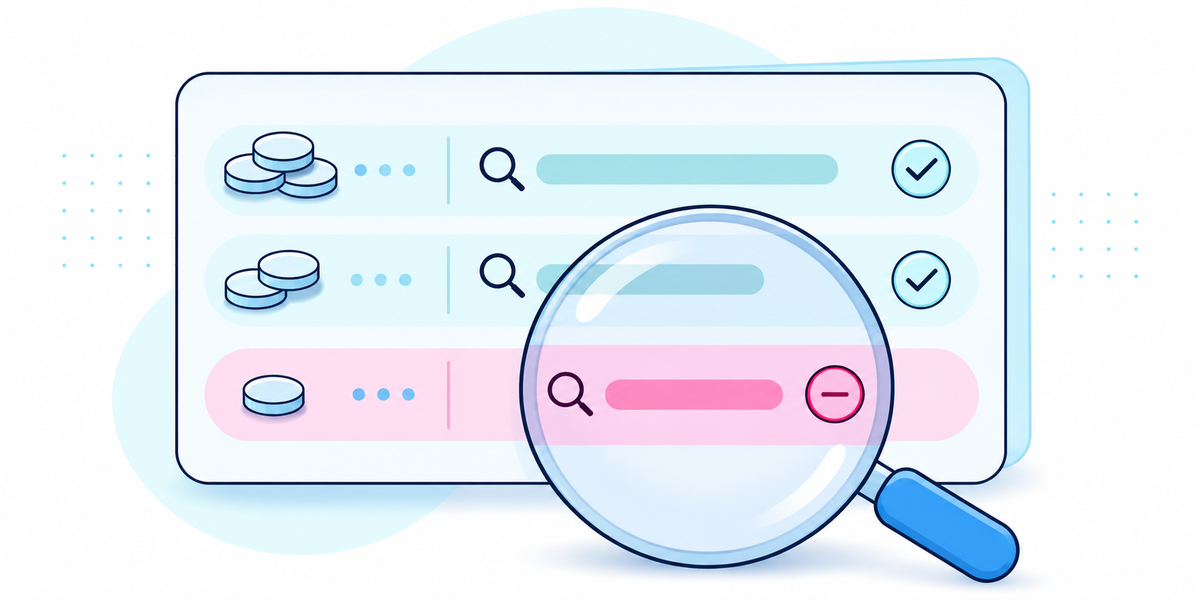
Many accounts don't have a budget problem. They have a distribution problem. The budget is there, but some of it goes to campaigns, keywords, and placements that have never produced a meaningful result.
Here's how to prevent that from happening to you:
- Check Impression Share data for top-performing campaigns. If a strong-ROAS campaign is losing impression share due to budget, that is the first place to reallocate spend from underperforming campaigns
- Check for campaigns running 24/7 with no ad schedule. Review conversion data by hour and day before making changes
- Check geographic targeting reports. Any budget going to locations that have never converted can be redirected to places that have previously converted
- Check whether the Display Network option is on in your Search campaigns. If you’re using Display Expansion, review its spending and conversion quality against your goals. Set a channel budget limit or turn it off if it diverts spend from higher-priority Search traffic.
Conclusion
We've given you the full audit. Now you can start by running monthly audits to check for search terms, negative keywords, and budget allocation, or running a full audit quarterly for stable accounts.
You can also run a full audit immediately after any major change like a new bid strategy, a Performance Max migration, a tracking update, or any drop in conversion rate you cannot explain.
If you want an agency to run it for your brand and handle the issues, book a consultation, and we will start with your conversion data.
Frequently Asked Questions
What is a PPC audit?
A PPC audit is a structured review of a paid advertising account, usually Google Ads, designed to find performance problems, identify wasted spend, and surface optimization opportunities. It covers conversion tracking, campaign structure, keywords, bidding strategies, ad creative, landing pages, and budget allocation. Most audits reveal conversion-tracking issues or negative-keyword gaps that cost the account money.
How to prepare an audit checklist?
Start with the areas that cause the most damage when they go wrong. Start with conversion tracking, then move to account structure, paid search terms and negative keywords, bidding strategies, ad creative, landing pages, audiences, and budget allocation.
What is an audit checklist?
An audit checklist is a structured list of items to review within a system or account to identify problems, gaps, and opportunities. In PPC, it ensures you don't overlook anything critical during a review. A good checklist is organized by priority.
How do I know if my Google Ads account needs an audit?
If your cost per conversion has been increasing without a clear reason, your search terms report is full of irrelevant queries, or your conversion numbers in Google Ads do not match what your CRM or backend is recording, those are all signs the account needs a proper review.
How much does a Google Ads audit cost?
A basic account review from a freelancer can cost $300 to $1,500. A full audit from an established agency can cost between $1,500 and $5,000, depending on account size and complexity. Some agencies offer a free audit as part of a new business process, though these are usually surface-level reviews.
Let's Grow Your Brand With Us
Book a free consultation and get a custom growth strategy tailored to your business.
Book Free ConsultationGet marketing insights in your inbox
Join our newsletter for the latest digital marketing tips and strategies.
By subscribing, you agree to our Privacy policy .

About the author
Jonathan SaeidianHead of Strategy at Brenton Way
Jonathan Saeidian is the founder of Brenton Way, Bridge, and Growth Virality, where he builds measurable growth marketing systems for startups, scaleups, and enterprise teams.


