Chiropractic Marketing Playbook · 2026 Edition
Chiropractic Marketing Playbook: 2026 Growth Plan for Chiropractors
A practical growth guide for chiropractic practice owners and marketing managers who need a full schedule, a trusted local reputation, and a marketing system they can actually run.

A quick look inside
Explore email marketing, social media, website conversion and patient segmentation.
OVERVIEW: 90-DAY OPERATING SYSTEM
Use this as a reference for patient acquisition, review growth, and local visibility. Every strategy in this playbook has been reviewed against one question: does it help a patient find you, trust you, and book with you?
Start with one channel, one patient type, and one measurable outcome. The goal is not to do everything at once. It is to build one system that works and then expand it.
The US chiropractic industry is worth $24 billion in 2026, and more than 35 million Americans visit a chiropractor every year. Employment in the profession is projected to grow 10% through 2033. To tap into this growth, your clinic needs to appear when patients search, earn trust before the first appointment, and respond fast when a lead comes in.
Phase 1 - Days 1 to 15: Fix the Foundation
-
Audit your Google Business Profile. Confirm the primary category is set to "Chiropractor" and every field is filled in.
-
Check NAP (Name, Address, Phone number) consistency across your top 10 directory listings: Google, Yelp, Healthgrades, WebMD, Zocdoc, Facebook, Bing, Apple Maps, Psychology Today, and your local chamber directory.
-
Set up a review request workflow. Identify who sends requests, when, and what the message says. Automate if possible.
-
Audit your website for page speed, mobile experience, and booking friction. If there is no online booking option, add one.
-
Confirm that incoming calls and web form submissions are being responded to within five minutes during business hours.
Phase 2 - Days 16 to 30: Build Content and Launch Ads
-
Identify the five conditions you treat most frequently. Make sure each has its own dedicated landing page on your website.
-
Add FAQ sections to every key page using the questions patients actually ask at the front desk and on the phone.
-
Apply for Google Local Services Ads. The verification process takes one to two weeks. Start early.
-
If you already have 25 or more Google reviews at 4.0 stars or above, launch a Google Search Ads campaign targeting your top three conditions with dedicated landing pages for each.
Phase 3 - Days 31 to 60: Retention and Reactivation
-
Pull your list of patients who have not visited in 90 days or more. Send a reactivation campaign by text and email. Acknowledge the gap, keep it personal, and give a clear re-booking link.
-
Review your appointment reminder system. Are reminders going out 24 hours and two hours before each appointment? If not, set this up.
-
Look at your care plan completion rate. For patients who stopped before completing their plan in the last six months, identify the most common point of dropout and address it in how care plans are explained and tracked.
Phase 4 - Days 61 to 90: Measure, Refine, and Scale
-
Compare new patient volume, cost per acquisition, care plan completion rate, and reactivation rate by channel.
-
Double down on the channels producing the lowest cost per booked appointment.
-
Launch AI search content: service FAQ pages and "what to expect" guides structured to be cited by ChatGPT, Perplexity, and Google AI Overviews.
-
Scale what is working before adding new channels.
PAGE 02: TOPICS COVERED
Section 1, Boosting Patient Acquisition with Email Marketing
-
Building your chiropractic email list
-
Lead magnets and pop-up forms
-
Email sequences: welcome, post-visit, lead nurture, reactivation
-
Subject lines that get opened
-
CTAs that drive appointments
-
HIPAA compliance for patient email
Section 2, Improving Brand Awareness with Social Media
-
Platform strategy: TikTok, Instagram, Facebook
-
Content types that drive inquiries
-
Posting schedule and benchmarks
-
Review response templates: positive, negative, and mixed
-
Social media compliance for chiropractic
Section 3, Converting Website Visitors into Booked Patients
-
Website design for conversion
-
Homepage structure
-
Condition page copy
-
CTAs by patient readiness
-
Trust signals
Section 4, Patient Segmentation for Chiropractic Marketing
-
Six patient segments and the sequence for each
-
Paid advertising audience segmentation
-
Retargeting, lookalike, and reactivation audiences on Meta
SECTION 1: BOOSTING PATIENT ACQUISITION WITH EMAIL MARKETING
PAGE 03: INTRODUCTION TO CHIROPRACTIC EMAIL MARKETING
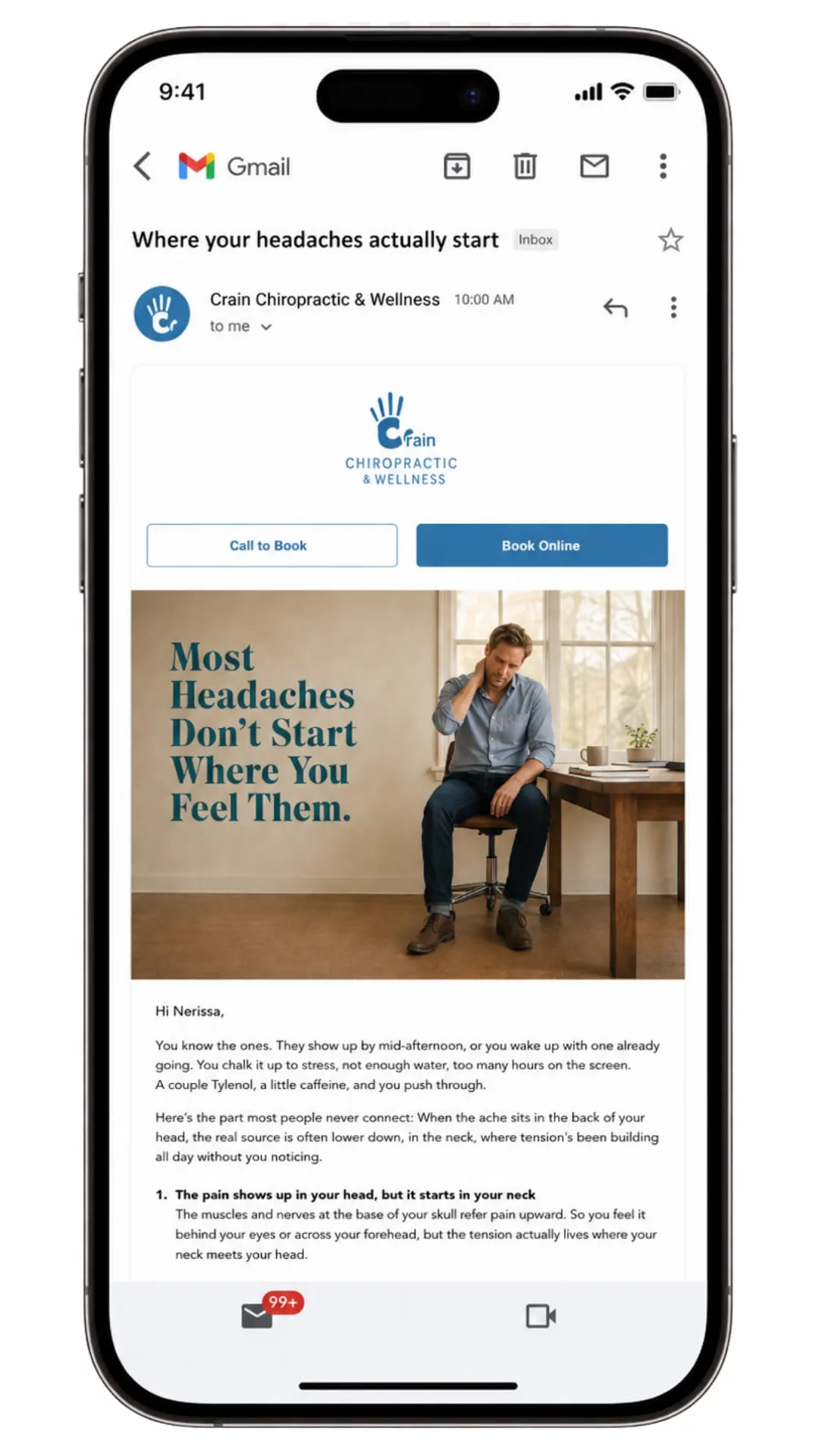 Email is the most cost-efficient channel for keeping existing patients and converting research-stage prospects into booked appointments. The average healthcare email open rate is 21.5%, and personalized email campaigns generate 6x higher transaction rates than generic broadcasts.
Before building a chiropractic email program, decide what each email is trying to do:
-
Educational emails help patients understand their condition and why treatment matters.
-
Operational emails confirm appointments, deliver care instructions, and manage the logistics of the patient journey.
-
Promotional emails introduce offers, new services, or seasonal campaigns.
Writing all three into the same email sequence causes patients to ignore your emails. Separate them by purpose, and each one performs significantly better.
Brenton Way field note:
"The chiropractic practices with the best email performance treat their list like a patient relationship, not a broadcast channel. Every email has one purpose, one audience, and one next step. When I see a chiropractic email with four topics, three CTAs, and a general 'hope you are doing well' opener, I know the list will have a 10% open rate and a 0.3% click rate. Narrow it down to one thing each time." Jonathan Saeidian
PAGE 04: BUILDING YOUR CHIROPRACTIC EMAIL LIST
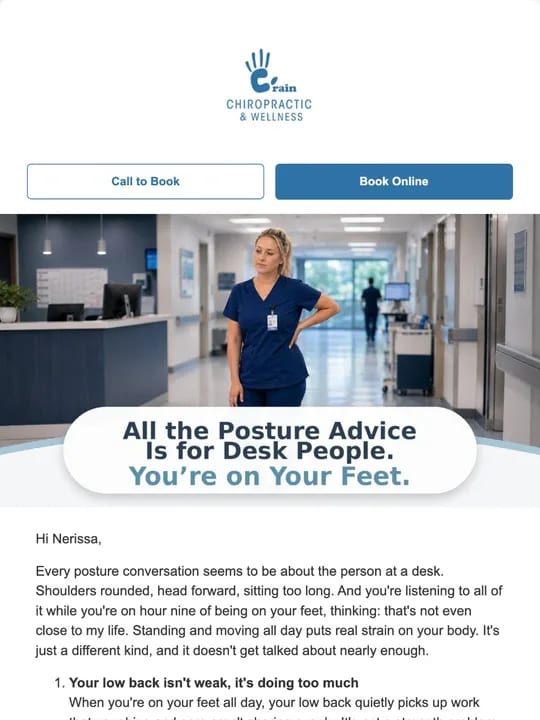
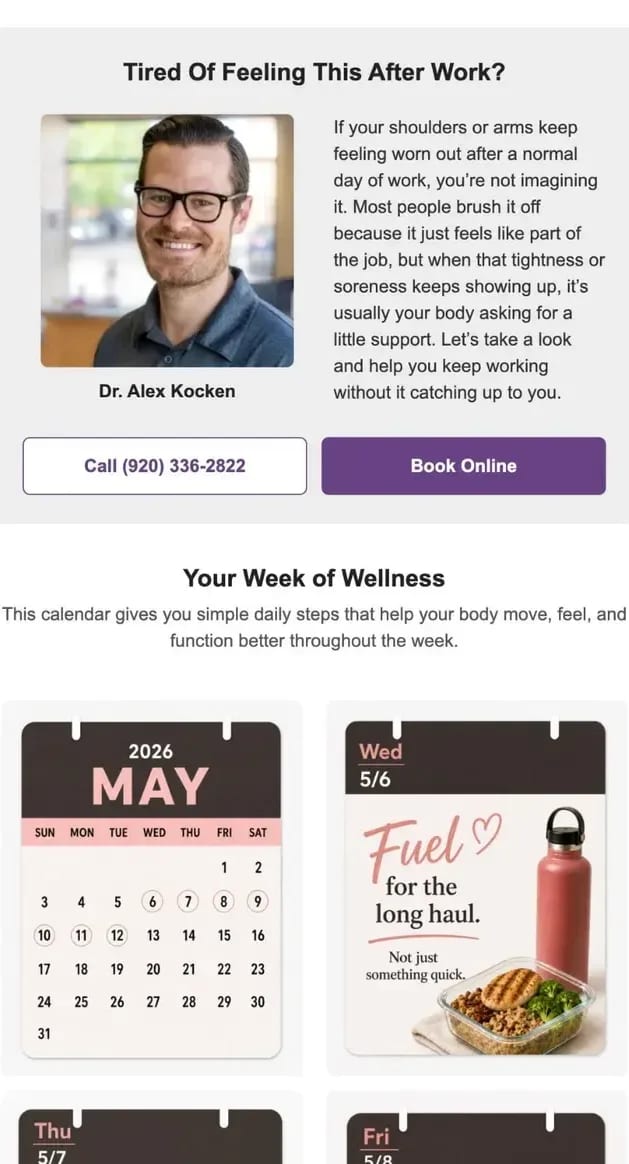
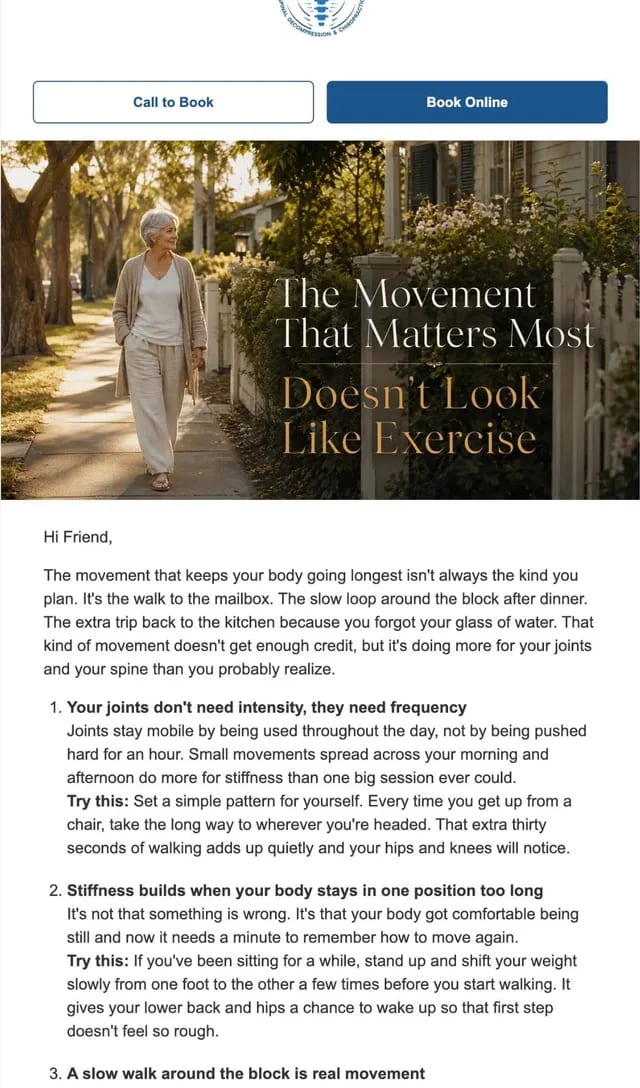
The goal of your email list is to have permission to communicate with current, lapsed, or prospective patients who have shown interest in your practice. There are five ways to build a list worth having.
New patient intake · Lead magnets · Website pop-ups · Event registration · Online booking
New Patient Intake
Collecting the email address of every new patient at intake is the highest-quality list-building action a practice can take.
These are people who have already chosen you. Use the intake form, the booking confirmation, and the first appointment reminder to confirm they are opted in to receive educational and operational communications.
Lead Magnets
A lead magnet earns an email address by delivering specific value before asking for anything in return. For a chiropractic practice, the most effective lead magnets are:
-
"5 exercises for lower back pain you can do at home", a downloadable PDF guide targeting patients in the research stage
-
"What to expect at your first chiropractic appointment", a checklist that reduces first-visit anxiety for patients who have never seen a chiropractor
-
"Is chiropractic right for my sciatica?", a short self-assessment that helps patients identify whether they are a good candidate
-
"Free posture guide", an illustrated guide to posture corrections for desk workers
-
"Managing neck pain without medication", an educational guide for patients researching non-pharmaceutical options
Each of these targets a patient who is in the research stage, not yet ready to book, but willing to exchange an email address for something useful. The follow-up sequence after the download is where the conversion happens.
Campaign review note:
"A chiropractic lead magnet should earn the email address by answering a specific patient question, not by making a treatment claim. 'Fix your back pain in 7 days' is a claim. '7 things that might be causing your back pain' is an educational piece. The second earns trust. The first creates skepticism." Jonathan Saeidian
PAGE 05: POP-UP FORMS FOR CHIROPRACTIC WEBSITES
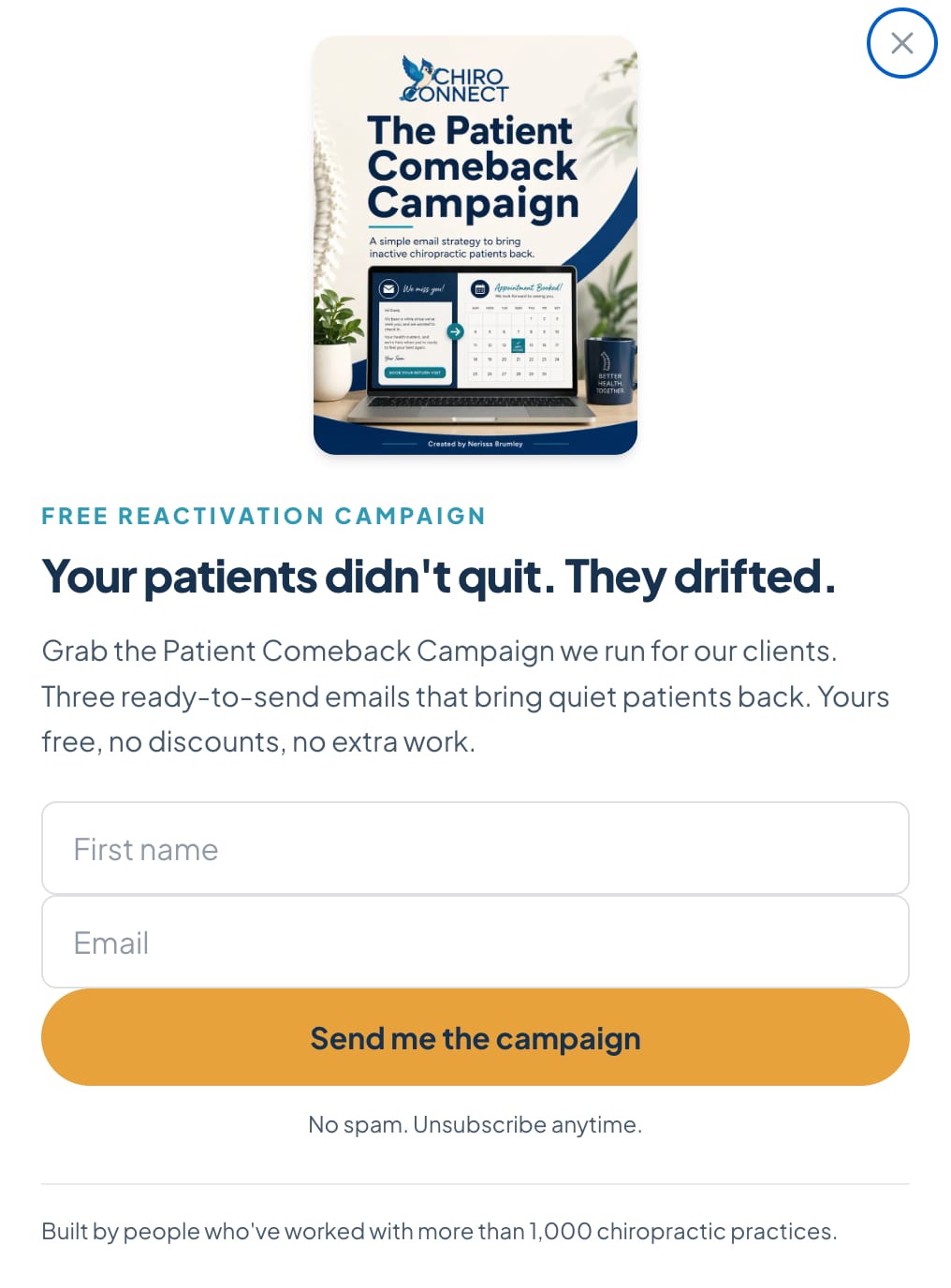
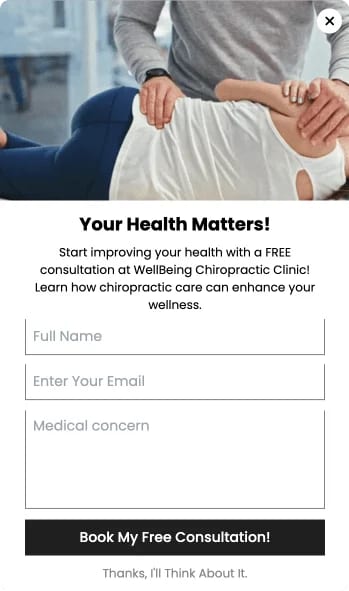
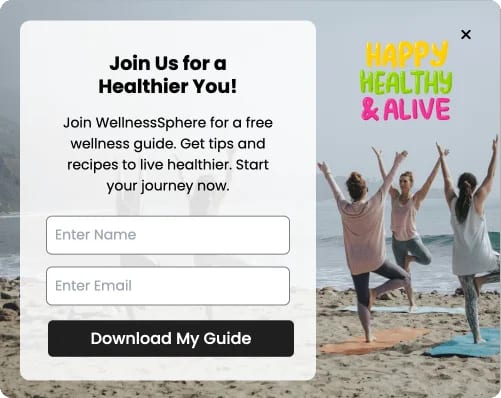

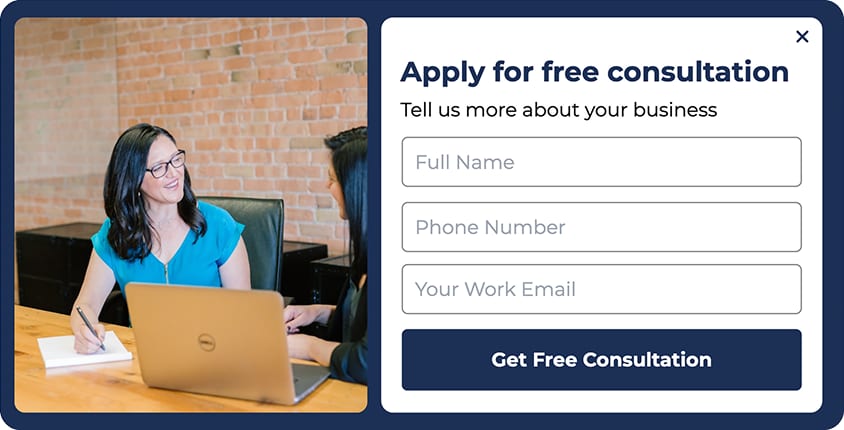
Use pop-up forms for low-risk educational offers: health tips, downloadable guides, or newsletter sign-ups. Do not use them to collect symptom information, pain severity ratings, or condition details. A form that reveals health intent requires the same privacy and HIPAA review as any other patient data collection mechanism.
Exit-intent pop-up · Timed pop-up · Scroll-triggered pop-up · New patient offer
Exit-Intent Pop-Up
Trigger when a visitor moves to close the tab or navigate away. The offer should give the patient a reason to stay or return. A free guide, a checklist, or a limited-time new-patient offer works well. A generic "subscribe to our newsletter" does not.
Timed Pop-Up
Trigger after 45 to 60 seconds on a condition-specific page. By this point, the visitor has read enough to know they are interested. A targeted offer referencing the condition they are reading about converts better than a generic pop-up.
Scroll-Triggered Pop-Up
Trigger when the visitor reaches 60-70% of the page. This filters out visitors who arrive and leave immediately and captures those who have demonstrated genuine interest by reading the content.
Pop-Up Copy That Converts
"Get the guide: 5 ways to manage lower back pain at home" is stronger than "Sign up for our newsletter" because it tells the patient exactly what they are getting. Name the value before asking for the email address.
Examples that work:
-
"Before you go, get our free sciatica relief guide. We will email it to you now."
-
"New patient? Get 50% off your first assessment this month. Claim it here."
-
"Download: What to expect at your first chiropractic appointment, a 2-minute read."
PAGE 06: CHIROPRACTIC EMAIL SEQUENCES THAT CONVERT
A chiropractic email sequence is a series of pre-written emails sent automatically in response to a trigger: a new patient books an appointment, a patient downloads a guide, or a patient has not visited in 90 days. The sequence removes the need for manual follow-up and ensures every patient receives consistent communication at the right moment.
New patient welcome · Post-visit follow-up · Lead nurture · Reactivation
New Patient Welcome Sequence (Days 1, 3, 7)
|
Day |
Purpose |
What to include |
|
Day 1 |
Appointment confirmation |
Appointment details, what to bring, what to wear, directions. One link only. Under 200 words. |
|
Day 3 (if not yet visited) |
Pre-visit reassurance |
Reference the appointment, address the most common first-visit anxiety (the adjustment sound), reassure them. One link: booking confirmation. |
|
Day 7 (after first visit) |
Post-visit check-in |
Ask how they are feeling. Link to the care plan overview. Include one piece of educational content relevant to their condition. |
Lead Nurture Sequence (Downloaded a Guide, Days 1, 4, 10, 21)
|
Day |
Purpose |
What to include |
|
Day 1 |
Delivery email |
Send the guide. No sales language. One action: open and read the guide. |
|
Day 4 |
Educational follow-up |
One relevant article or FAQ about the condition. Mention the practice treats this. |
|
Day 10 |
Social proof |
One patient story from someone with a similar condition. Booking link is present, but the lead is not. |
|
Day 21 |
Offer |
New-patient consultation offer with a clear expiry date. One CTA: "Book your assessment." |
Reactivation Sequence (90+ Days Since Last Visit)
|
|
Timing |
What to include |
|
Email 1 |
Day 1 |
"We have not seen you in a while." Acknowledge their absence. Ask how they are feeling. One re-booking link. No discount yet. |
|
Email 2 |
14 days later if no response |
Short educational content relevant to their previous condition. End with a specific offer: a discount or priority booking slot. |
|
Email 3 |
30 days after Email 2 |
Simple and direct. "If you are ready to come back, here is a link to book." No pressure language. |
Brenton Way field note:
"The reactivation sequence is the highest-return email investment for most chiropractic practices I work with. It costs almost nothing to send and consistently recovers patients who simply forgot to re-book. The first email should not include a discount. Many lapsed patients will rebook based on a simple personal check-in alone. Save the offer for the second or third email." Jonathan Saeidian
PAGE 07: SUBJECT LINES THAT GET OPENED
A chiropractic email with a bad subject line will not be read, regardless of how good the content is. The practices that consistently hit 35 to 40% open rates do one thing differently: they write subject lines that reference the patient's specific situation rather than the practice's agenda.
Subject Lines That Work
-
Reference the patient's condition or situation directly
-
Use specificity over cleverness: "5 exercises your chiropractor wants you to try at home" outperforms "You need to read this"
-
Keep it under 50 characters for mobile: subject lines that get cut off perform worse
Subject Lines That Do Not Work
-
Urgency that is not real: "LAST CHANCE, book before Friday." If Friday passes and nothing changes, you train patients to ignore your urgency language.
-
Generic newsletters: "Our monthly update," "Clinic news," "Health tips from [practice name]." These give the patient no reason to open.
Subject Line Examples by Sequence Type
|
Sequence |
Subject line |
|
New patient welcome |
"Your appointment is confirmed, here is what to expect" |
|
Post-visit check-in |
"How are you feeling after your first adjustment?" |
|
Lead nurture |
"Your free guide: managing sciatica at home" |
|
Reactivation |
"[First name], we have not seen you in a while" |
|
Offer |
"This month only: 50% off your first visit back" |
PAGE 08: CTAS FOR CHIROPRACTIC EMAIL MARKETING
Email CTAs are the prompts inside an email that encourage the patient to take the next step. Effective CTAs match where the patient is in their journey. A booking CTA on a first-touch educational email converts poorly. A soft CTA asking the patient to read a guide converts well at that stage.
CTA |
When to use it |
|
Book your adjustment online |
Returning patient communications, appointment reminder follow-ups |
|
Schedule your back pain assessment |
Condition-specific pages and emails targeting back pain patients |
|
Download your recovery guide |
Educational emails and blog content for patients in the research stage |
|
Claim your new patient offer |
Promotional emails and pop-up forms with a specific discount or incentive |
|
See what our patients say |
Social proof emails and pages where trust needs to be built before booking |
|
Find out if we can help |
Soft CTA for patients who are still deciding whether chiropractic is right for them |
|
Reserve your slot this week |
Re-engagement emails targeting lapsed patients |
|
Get your posture guide |
Lead magnet emails targeting desk workers or patients with neck pain |
|
Read patient testimonials |
Mid-funnel emails where social proof is the next logical step |
|
Contact us for a consultation |
Educational content where the patient needs a conversation before booking |
|
Start your care plan today |
Post-assessment emails where the patient has already met the chiropractor |
|
Book a free discovery call |
High-hesitancy patients who need a lower-commitment first step |
PAGE 09: HIPAA COMPLIANCE FOR CHIROPRACTIC EMAIL MARKETING
Chiropractic practices are covered entities under HIPAA. Patient health information used in marketing requires explicit authorization unless a specific exception applies. Most standard chiropractic email marketing falls within the treatment communication exception, but you need to understand where that exception ends.
What Is Allowed Without Patient Authorization
-
Appointment confirmations, reminders, and follow-ups are operational communications directly related to treatment
-
Educational content that is not personalized to a patient's specific health information
-
Re-engagement emails that do not reference specific health conditions in a way that reveals the patient is a patient of your practice
What Requires Explicit Patient Authorization
-
Using a patient's specific diagnosis, treatment history, or health information in marketing content
-
Segmenting your email list by condition and sending targeted emails that reference that condition
-
Sharing patient information with third-party email platforms: your email service provider must sign a Business Associate Agreement (BAA) before you upload any patient data
What to Avoid
-
Retargeting audiences built from patient email lists on Meta or Google without confirming HIPAA compliance at every step
-
Subject lines or preview text that could reveal a patient's health status to anyone who sees the notification on their device
Compliance note:
"This playbook is marketing strategy guidance, not legal or compliance advice. Before building any email program that uses patient data, work with a HIPAA-qualified attorney or compliance consultant to review your data flows, your email platform's BAA, and your consent processes." Jonathan Saeidian
PAGE 12: CHIROPRACTIC SOCIAL MEDIA BENCHMARKS AND POSTING SCHEDULE
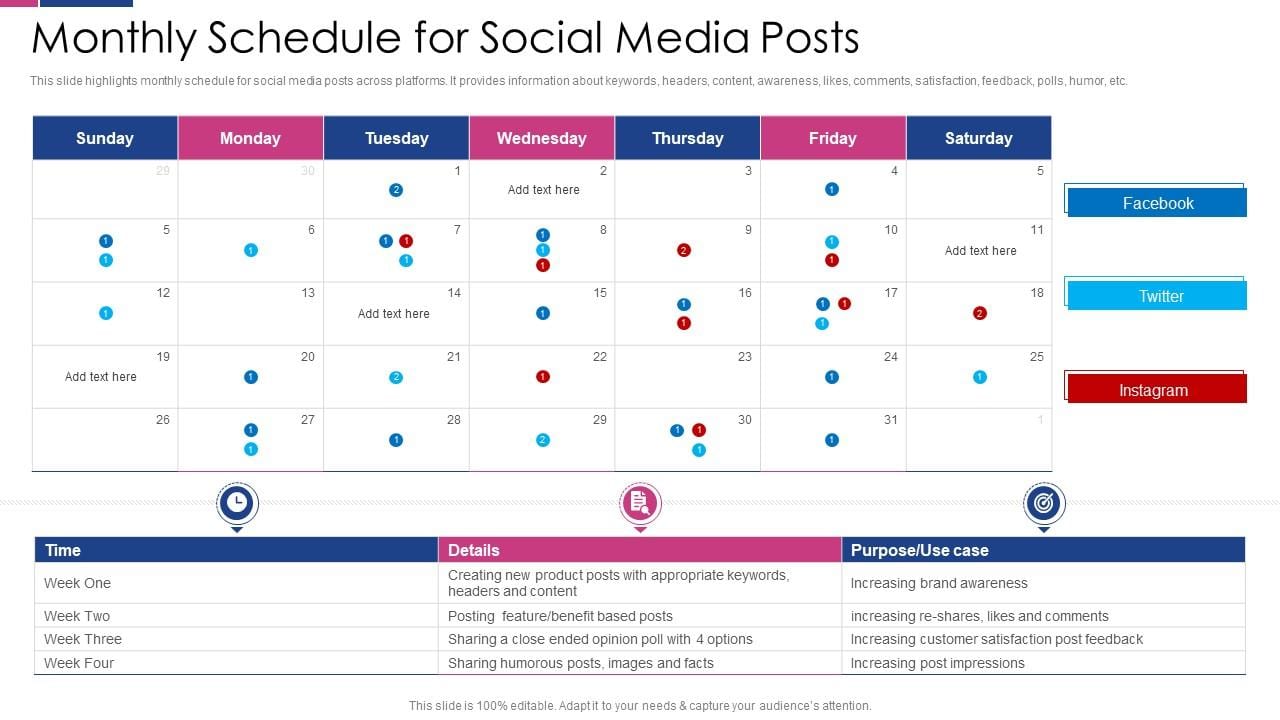
Platform Benchmarks
|
Platform |
Average healthcare engagement rate |
Best posting frequency |
Best content format |
|
TikTok |
5.7% (Sprout Social, 2025) |
3 to 5 times per week |
30 to 60-second educational videos |
|
|
0.48% static, 1.6% Reels (Later, 2025) |
4 to 5 times per week |
Reels for reach, carousels for saves |
|
|
0.2% (Sprout Social, 2025) |
3 times per week |
Videos and local community content |
Weekly Posting Schedule
|
Day |
Content type |
Why |
|
Monday |
Educational content about a condition |
Start the week with something useful |
|
Tuesday |
Behind-the-scenes or team content |
Personal content performs well mid-week |
|
Wednesday |
Patient story or testimonial |
Social proof when booking intent is highest |
|
Thursday |
Exercise or self-care tip |
Practical content patients save and share |
|
Friday |
Practice content, offer, or seasonal content |
End-of-week conversions |
|
Weekend |
One post only if organic engagement warrants it |
Lower frequency, higher quality |
PAGE 13: REVIEW RESPONSE TEMPLATES FOR CHIROPRACTIC PRACTICES
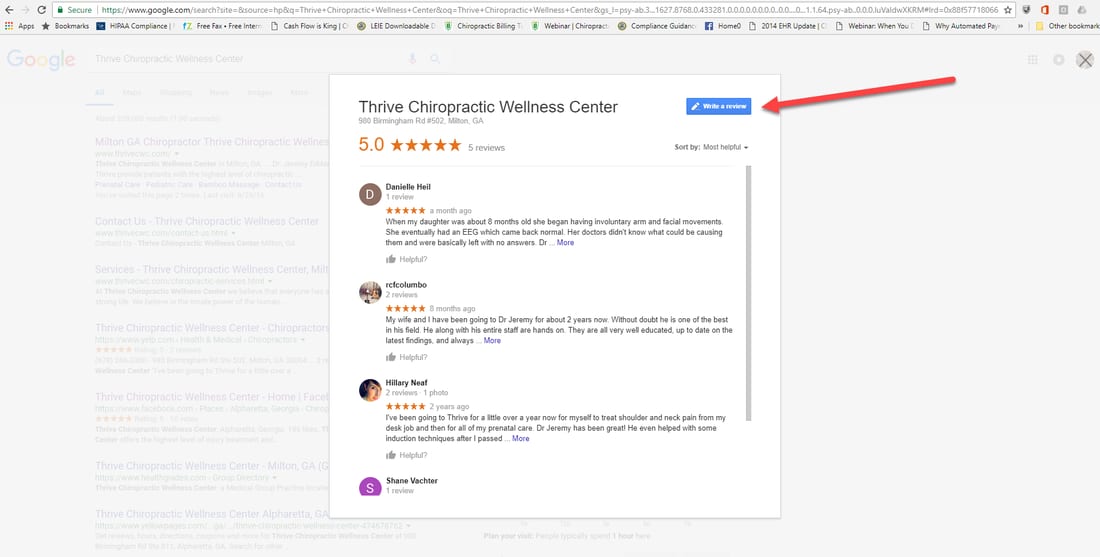
Responding to every review, positive, negative, and mixed, is one of the highest-return reputation management activities a practice can maintain. A professional response to a negative review is read by every potential patient who sees it. Templates save time but should always be personalized with the reviewer's name and a specific reference to what they mentioned.
Positive Review Response Templates
Template 1
"Thank you so much, [name]. We are thrilled to hear that your back pain has improved and that you felt well looked after throughout your treatment. We look forward to seeing you at your next appointment."
Template 2
"Thank you for taking the time to share this, [name]. Knowing that you felt comfortable and that your questions were answered makes a real difference to us. We are here whenever you need us."
Template 3
"We really appreciate this review, [name]. Our whole team works hard to make every visit as straightforward and comfortable as possible, and it means a lot to hear that it came through. Thank you."
Negative Review Response Templates
Template 1
"Thank you for bringing this to our attention, [name]. We are sorry to hear your experience did not meet the standard we hold ourselves to. We would welcome the opportunity to speak with you directly. Please contact us at [phone number] so we can understand what happened and make it right."
Template 2
"We appreciate your honest feedback, [name], and we apologize for the wait time you experienced. We are actively reviewing our scheduling process to reduce delays. If you would like to discuss your experience further, please reach out to us directly."
Template 3
"We are sorry to hear this, [name]. Patient comfort and communication are priorities we take seriously, and we regret that this visit did not reflect that. Please contact us directly so we can address your concerns properly."
Mixed Review Response Templates
Template 1
"Thank you for sharing your experience, [name]. We are glad to hear the adjustment helped with your symptoms, and we take your feedback about wait times seriously. We are working on improving our scheduling and hope to give you a better experience on your next visit."
Template 2:
"We appreciate the honest feedback, [name]. It is great to hear that you felt well cared for by our team. We understand the front desk experience did not match that standard, and we are looking at how to improve it. Thank you for giving us the opportunity to do better."
Template 3
"Thank you, [name]. We are pleased to hear your pain has improved and we appreciate you noting the areas where we can do better. Your feedback helps us keep raising the standard of care we provide."
SECTION 3: CONVERTING WEBSITE VISITORS INTO BOOKED PATIENTS
 PAGE 15: WEBSITE DESIGN FOR CHIROPRACTIC CONVERSION
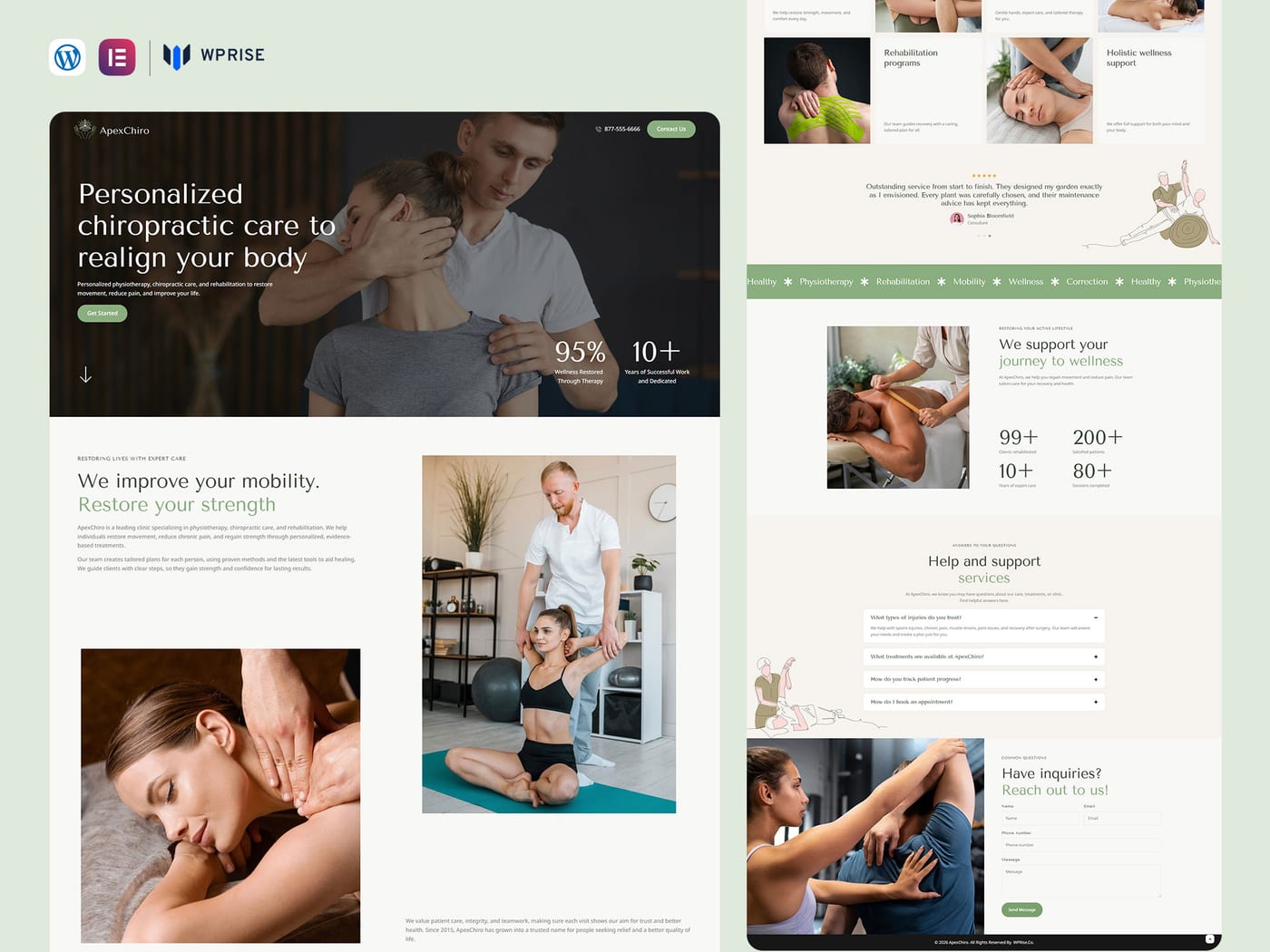
Your website has one job for a patient who has already decided to see a chiropractor: get them to book without getting in their way. Most chiropractic websites fail this because they were designed to look impressive rather than to convert.
Speed
Google's benchmark is under three seconds. Use Google PageSpeed Insights to check your score. Any score below 70 on mobile is costing you bookings. The most common causes of slow chiropractic websites are uncompressed images, too many third-party scripts loading on the page, and cheap shared hosting. Fix images first.
Mobile Experience
76% of healthcare website traffic comes from mobile devices. Your phone number must be a clickable tap-to-call link at the top of every page. Your booking button must be visible without scrolling on a standard mobile screen. A website that requires pinching and zooming will lose patients before they read a single word.
Booking Path
Count the steps between your homepage and a completed booking. The target is three or fewer: homepage, booking page, confirmation. Every additional step reduces completion rate.
Homepage Structure
|
Screen |
What to show |
|
First screen (above the fold) |
Practice name, primary location, primary condition or patient type, phone number, booking CTA |
|
Second screen |
Brief description: what you do, who you help, what makes you different. One sentence each. |
|
Third screen |
Google review rating and at least three specific patient quotes |
|
Fourth screen |
Conditions you treat, each linking to its own page |
|
Fifth screen |
The chiropractor's credentials and experience in plain language |
|
Bottom of page |
Booking CTA, phone number, address with map, and insurance information |
Trust Signals
Patients who have never visited a chiropractor need evidence that you are credible before they will book. Trust signals that work: a real photo of the chiropractor (not a stock image), Google review count and rating displayed prominently, years of experience stated specifically, professional associations and credentials, and real photos of the actual clinic interior.
Brenton Way field note:
"The most common conversion problem I see on chiropractic websites is the homepage that opens with a stock photo and a mission statement. Patients want to see the actual chiropractor, the actual clinic, and evidence that other patients have had good experiences there. Put those three things above the fold, and your booking rate improves immediately." Jonathan Saeidian
PAGE 16: CHIROPRACTIC WEBSITE COPY THAT CONVERTS
Every piece of copy on a chiropractic website should do one of three things: explain what you do, prove that you do it well, or tell the patient what to do next. Copy that does none of these is decoration.
Homepage Headline
The most effective headlines are specific about the patient and the outcome:
-
"Helping [city] residents move without pain" is better than "Your local chiropractic clinic"
-
"Back pain, sciatica, and neck pain relief in [city]" is better than "Expert chiropractic care"
Service Page Copy
Open with the patient's experience, not clinical terminology:
-
"If you have been waking up with lower back pain that gets worse throughout the day, chiropractic care may be able to help." Then explain why, describe your approach, and set realistic expectations.
-
Saying "Gentle adjustments to the lower spine to relieve pressure on the affected area" is better than saying "Lumbar spinal manipulation targeting L4-L5 vertebral subluxation."
What Never to Say
-
Do not claim to cure any condition
-
Do not make before-and-after claims without FTC-required disclosures
-
Do not claim chiropractic is effective for conditions outside its evidence base
-
Do not reproduce testimonials that imply typical results if the result was exceptional
CTAs by Patient Readiness
|
CTA |
Best placement |
Patient stage |
|
"Book a free consultation" |
Homepage hero, new patient landing pages |
Ready to book, price-sensitive |
|
"Book a [condition] assessment" |
Condition-specific pages |
High intent, condition-matched |
|
"See if we can help" |
Educational blog posts, research-stage content |
Still deciding |
|
"Get same-day availability" |
Patients with acute pain |
Urgent need |
|
"Download our new patient guide" |
Educational pages, blog posts |
Research stage, not yet ready to book |
|
"Book your adjustment online" |
Returning patient pages, reminder emails |
Existing patient |
SECTION 4: PATIENT SEGMENTATION FOR CHIROPRACTIC MARKETING
PAGE 17: EMAIL SEGMENTATION FOR CHIROPRACTIC PRACTICES
Segment chiropractic patients around the condition they came in for, where they are in their care plan, and their last visit date. Use only information the patient has knowingly provided or generated through their care journey. Do not segment on health assumptions that the patient has not shared with you directly.
The Six Segments To Build
1. New inquiry, not yet booked. Trigger: Form submission, missed call, or inquiry via GBP. Sequence: 5-minute text response during business hours, 48-hour follow-up call, 7-day re-engagement email with a specific offer. This segment has the shortest conversion window. Most unbooked leads who are not followed up within 24 hours are lost to a competitor.
2. Booked, not yet visited Trigger: Appointment confirmed but not yet attended. Sequence: Confirmation message, pre-visit guide, 24-hour reminder, 2-hour reminder. Objective: Reduce no-shows and reduce first-visit anxiety.
3. Active care plan Trigger: Currently attending visits. Sequence: Appointment reminders; progress update emails at visits 5 and 10; care plan completion message with maintenance offer. Objective: Maximize plan completion rate.
4. Care plan dropout Trigger: Missed appointment or gap of more than 14 days mid-plan. Sequence: 48-hour check-in, 3-week re-engagement with educational content, 6-week offer. Objective: Recover patients before they forget the practice entirely.
5. Completed plan, no maintenance booked Trigger: Final care plan visit attended, no follow-up appointment scheduled. Sequence: Completion congratulations, maintenance care education at 1 week, monthly wellness content ongoing, seasonal check-in. Objective: Transition from corrective to maintenance care and increase lifetime value. The most valuable segment in chiropractic. These patients already believe in your practice and trust you. They simply did not know that maintenance care was an option. A single email explaining what monthly maintenance care entails and what it prevents converts a meaningful share of this group into long-term, recurring patients.
6. Lapsed patient, 90 days or more since last visit Trigger: 90-day gap in visit history. Sequence: Personal re-engagement text, 14-day follow-up email, 30-day re-booking offer. Re-engagement campaigns from a lapsed patient list typically re-book 10 to 20% of the list at effectively zero acquisition cost.
PAGE 18: PAID ADVERTISING AUDIENCE SEGMENTATION
Segment paid advertising audiences by the targeted condition, the patient's geography, and their stage in the research or care journey.
New Patient Targeting on Google
Build separate ad groups for each condition: "back pain chiropractor [city]," "sciatica treatment [city]," "neck pain relief [city]." Each condition should have its own ad group, ad copy, and landing page. Patients who searched for a specific condition should land on a page about that condition, not a homepage.
Retargeting on Meta
Upload a suppression list of current patients so you are not spending retargeting budget on people who already attend your clinic. Retarget website visitors who viewed a condition page but did not book. Use a specific offer: "Book your back pain assessment, first visit 50% off." Retargeting audiences are warmer than cold audiences and convert at 2 to 3 times the rate at a lower cost per acquisition.
Lookalike Audiences on Meta
Build lookalike audiences from your existing patient email list. A 1% lookalike from a list of 300 or more patients creates a local audience that shares demographic and behavioral characteristics with your best patients. This is one of the most cost-efficient top-of-funnel tactics available to chiropractic practices on Meta.
Note: Uploading a patient email list to Meta requires that the data be hashed before upload and that the practice has a Business Associate Agreement in place if the list was derived from patient health information. Review your HIPAA compliance before activating custom audiences.
Reactivation Ads on Meta
Upload your lapsed patient list (90 or more days since last visit) as a custom audience on Meta and run a targeted re-engagement campaign alongside your email and SMS reactivation sequences. Keep the ad copy simple and personal: "It has been a while. If your back has been playing up again, we have availability this week." Include a direct booking link.
CLOSING PAGE
Let's Grow Your Chiropractic Practice Together
Supercharge your chiropractic marketing with Brenton Way, the growth marketing agency for healthcare practices that want more patients.
Brenton Way is not a generalist agency that takes on any client. We build patient acquisition systems specifically for healthcare and wellness practices, and we measure success in booked appointments and revenue, not in traffic reports and impressions.
Our chiropractic marketing services include:
- Local SEO and Google Business Profile management
- Google Local Services Ads and paid search
- Reputation management and review growth
- Content marketing and chiropractic SEO
- Email marketing and patient retention systems
- Social media strategy and management
- Answer engine optimization for AI search visibility
All managed as one integrated system.
Every engagement starts with an audit. Before we recommend anything, we look at where your practice currently appears in local search, in paid results, and in AI-generated answers. The strategy comes from what we find.
Book a free consultation, and we will start with an assessment of where your practice stands today.
brentonway.com · +1 424-208-2521
Sources: IBISWorld Chiropractors in the US 2026; ClinicMind Chiropractic Industry Statistics 2026; Bureau of Labor Statistics Chiropractors Outlook; rater8 Healthcare Review Statistics 2025; Mailchimp Email Marketing Benchmarks 2025; Campaign Monitor Email Marketing Benchmarks 2025; Sprout Social Industry Benchmarks 2025; Later Instagram Engagement Report 2025; LeadGulls Google Ads for Chiropractors 2026.
PAGE 10: SOCIAL MEDIA STRATEGY FOR CHIROPRACTIC PRACTICES
TikTok · Instagram · Facebook
TikTok
Best for reaching patients under 45 and for educational content that explains conditions in plain language. The chiropractic adjustment reveal, showing the before, during, and after of a spinal adjustment, has consistently been one of the highest-performing content formats in the category.
Patient videos require explicit written consent that specifies the platform, the duration of use, and the nature of the content. Do not assume that a patient who agrees to be filmed has agreed to have the video posted publicly.
Instagram
Best for visual results, practice culture, and local community content. Reels that explain a condition or demonstrate an exercise consistently outperform static images. Stories are effective for day-in-the-life content that builds familiarity with the practitioner and the clinic environment before the first visit.
Facebook
The most effective platform for reaching patients over 50. Facebook groups and local community pages are underused by most chiropractic practices. A chiropractor who regularly answers questions in a local health or community group builds more genuine local trust than any paid ad targeting the same audience. Facebook ads work best for retargeting website visitors and promoting specific new-patient offers to a defined local audience.
Brenton Way field note:
"The mistake most chiropractic practices make on social media is posting what they think looks professional: practice logos, generic health facts, and promotional offers. What actually builds an audience is showing the practitioner explaining something the patient wants to understand. Film yourself explaining why sciatica pain shoots down the leg. That video will outperform a week of promotional posts." Jonathan Saeidian